

No products in the cart.
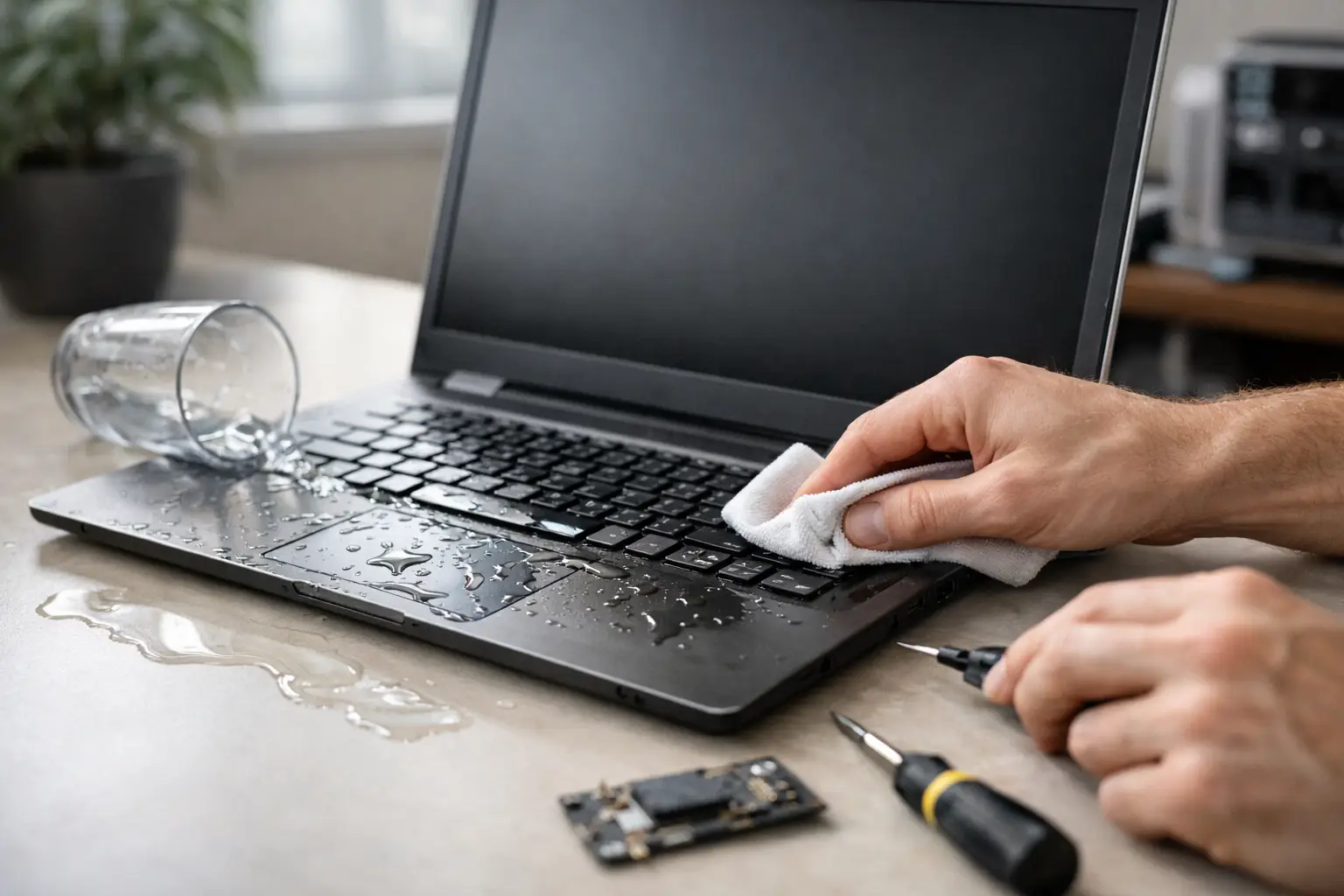
Coffee tips. A water bottle leaks in a backpack. A kid knocks over juice at the kitchen table. Most laptop accidents happen fast, and the first few minutes matter more than people think. If you need laptop water damage recovery, the goal is simple: stop the damage from spreading, protect your data, and give the device the best chance of a safe repair.
The hard part is that water damage does not always look serious right away. A laptop may turn back on after drying for a few hours, then fail days later because moisture and corrosion keep working inside the machine. That is why quick action matters, and why the wrong DIY fix can turn a repairable problem into a motherboard replacement.
Start by powering the laptop off immediately. If it is plugged in, unplug the charger. If the battery is removable, take it out. Every second the device stays powered increases the risk of a short circuit, especially if liquid reached the keyboard, trackpad, charging area, or motherboard.
Next, disconnect anything attached to it, including USB drives, mice, external monitors, and memory cards. Then place the laptop in an open, tent-like position so liquid can drain instead of pooling deeper inside. If the spill was small, this may help limit spread. If it was a full cup of coffee or water, do not assume drainage alone solved anything.
Use a clean, lint-free cloth to blot visible moisture. Blot, do not wipe aggressively. Pushing liquid around can drive it into vents, key gaps, and ports. If the spill included coffee, soda, juice, or anything sugary, the risk is higher because residue stays behind even after the moisture evaporates.
A lot of failed repairs start with good intentions. People grab a hair dryer, set the laptop in direct sun, or leave it in a bag of rice overnight. Those shortcuts sound convenient, but they are unreliable and sometimes make things worse.
Heat from a dryer can warp components or push moisture deeper into the device. Rice is a popular myth, but it does not clean residue or remove trapped liquid from under chips and connectors. Waiting too long is another common mistake. Corrosion does not pause just because the laptop is sitting on a counter.
The biggest mistake is turning it back on to check if it still works. That test can cause the exact short you were trying to avoid. If the laptop contains important school files, business documents, photos, or client data, the safe move is to keep it off and have it inspected as soon as possible.
Not all liquid damage is equal. Plain water is bad, but sugary drinks, coffee with cream, sports drinks, and soda usually create more trouble. These liquids leave behind sticky residue that can block keyboard contacts, damage connectors, and speed up corrosion on the board.
Where the liquid landed also matters. A few drops on the outer shell are very different from liquid poured directly across the keyboard. Spills near the power button, charging port, side vents, or hinge area can spread internally fast. A laptop that was on during the spill usually faces greater risk than one that was fully shut down.
Timing matters too. If you act right away, a technician may be able to clean and stabilize the device before permanent board damage sets in. If the laptop sat wet for a day or two, recovery becomes less predictable. It can still be repairable, but the repair may involve more parts, more labor, and more data protection steps.
Sometimes the damage is obvious. The screen flickers, keys stop responding, or the laptop will not charge. Other times, the signs are subtle. The fan may sound strange, the trackpad may click unevenly, or the device may work for an hour and then shut off.
Watch for random restarts, overheating, distorted audio, battery issues, and a keyboard that types the wrong letters. These are all signs that liquid may have reached more than one component. Even if the laptop seems normal, hidden corrosion can continue in the background.
That is where professional laptop water damage recovery makes a real difference. A proper inspection can show whether the issue is limited to the keyboard, charging circuit, battery connection, or board-level damage. It also helps protect you from wasting money on guesswork.
A quality repair process is not just about drying the laptop. It starts with free diagnostics or an inspection to assess how far the liquid spread. A technician will typically open the laptop, check for moisture and residue, inspect the motherboard, and test high-risk components.
If the device is still a good candidate for repair, the next step is internal cleaning and damage control. Residue has to be removed carefully. Corrosion needs to be addressed before it causes more failures. Depending on the model and the spill, the repair may also include keyboard replacement, battery replacement, charging port repair, or board-level work.
There is no one-size-fits-all answer here. Some laptops need only a deep internal cleaning and testing. Others need part replacement to restore stable performance. If data matters more than the device itself, the repair plan may focus first on data recovery before full restoration.
Often, yes. But it depends on the amount of liquid, the type of liquid, how quickly power was cut, and how long the laptop sat before service. A fast response gives you the best chance of avoiding permanent board damage.
There are cases where repair is straightforward and affordable. There are also cases where the cost of extensive board repair is close to the value of the laptop. A trustworthy shop should explain that clearly. If saving the device does not make financial sense, saving the data still might.
That is why transparency matters. You should know whether the issue is limited, whether genuine parts are recommended, how long the repair may take, and what kind of warranty backs the work. For customers who need their device back quickly, same-day service can be a major advantage when the repair scope allows it.
For many people, the laptop itself is replaceable. The files are not. If your device contains work documents, school projects, photos, passwords, accounting files, or business records, treat data protection as a priority from the start.
Do not keep forcing a damaged laptop to boot. Repeated attempts can make recovery harder. A repair technician can often determine whether the storage drive is safe, whether the laptop can be stabilized long enough for backup, or whether a separate data recovery approach is better.
If the laptop does come back to life after professional cleaning, back up everything right away. Even after a successful repair, a liquid-damaged machine should be watched closely for delayed issues. Good repair reduces the risk, but an honest technician will tell you that long-term reliability depends on the extent of the original damage.
Manufacturer repair can be slow, expensive, and not always focused on urgent turnaround. For students, professionals, travelers, and small business owners, waiting days or weeks is rarely practical. That is why local repair support matters when a spill happens.
A dependable neighborhood shop can inspect the device quickly, explain the problem in plain English, and tell you whether it is worth repairing. If the service includes same-day diagnostics, affordable pricing, genuine parts when needed, and a comprehensive warranty, you get more than a repair. You get clarity when the situation feels urgent.
At iFix Hub, that customer-first approach is exactly what people need after an accident. Fast repairs, clear communication, and no-hassle service take a lot of stress out of a bad day.
Once you have dealt with one spill, prevention usually starts to sound a lot more appealing. Keep drinks off the same surface as your laptop when possible. Use a sleeve or case inside backpacks, especially if you carry water bottles. Avoid charging and working near kitchen counters, pool areas, and cluttered desks where spills happen easily.
If you use your laptop daily for work or school, regular backups are just as important as careful handling. A backup does not stop liquid damage, but it makes the outcome far less painful.
The most helpful thing to remember is this: after a spill, speed beats guesswork. Shut it down, keep it off, and get it checked before hidden damage spreads. That one decision can be the difference between a quick save and a much bigger repair bill.



Need help? Our team is just a message away