

No products in the cart.
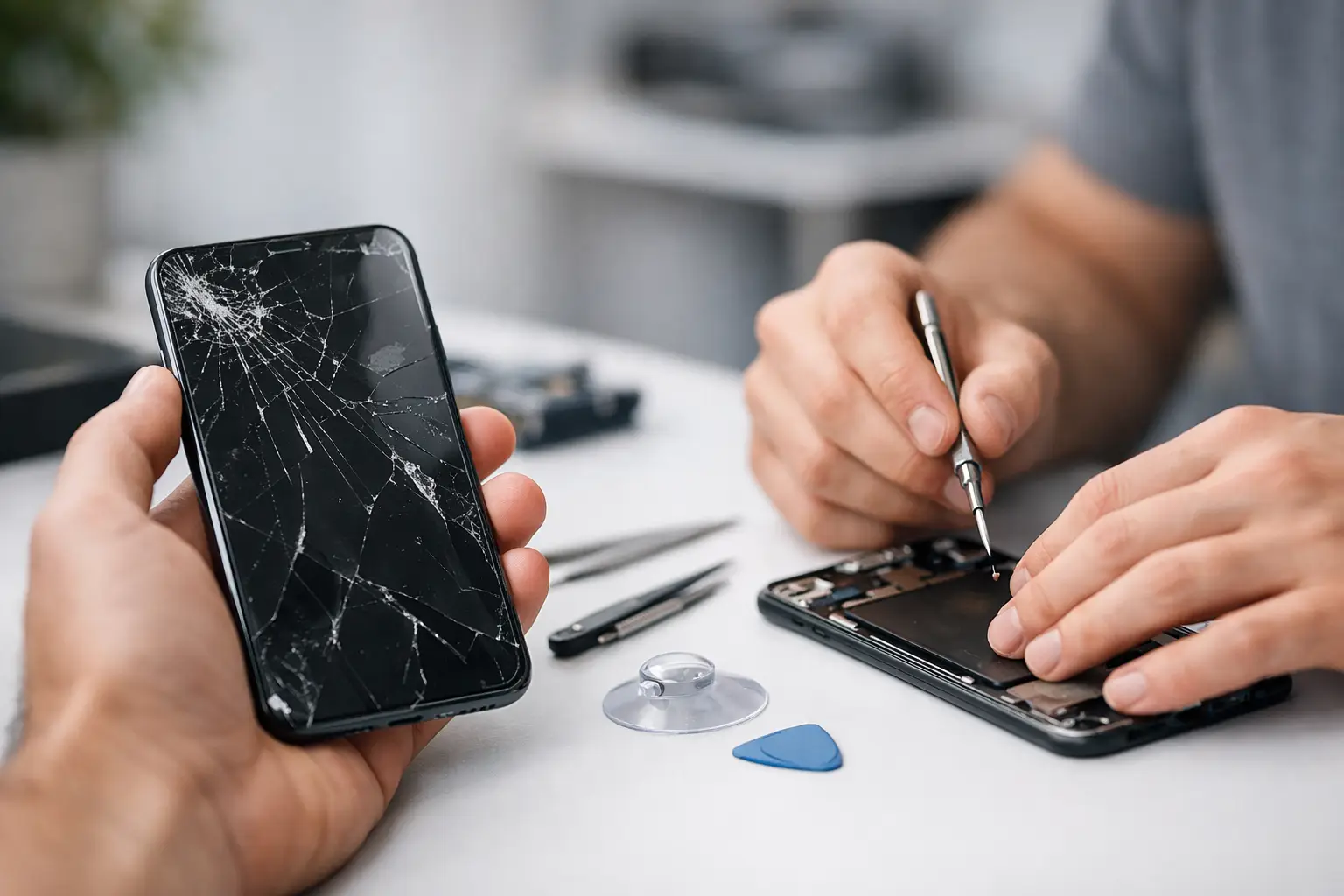
You usually notice it at the worst possible moment – while replying to a text, checking directions, or pulling up a boarding pass at the door. If you’re searching for how to fix cracked phone screen damage, the first thing to know is simple: not every crack means the same repair, and the wrong move can turn a quick screen replacement into a bigger, more expensive problem.
A small hairline crack in the corner is different from shattered glass, black spots, touch issues, or a screen that’s lifting from the frame. Some damage is mostly cosmetic for now. Some means the display is already failing. The smart approach is to protect the phone immediately, figure out how serious the damage is, and decide whether a temporary fix buys you time or whether you need same-day service right away.
Start by handling the phone like the glass is unstable, because it probably is. Loose shards can spread across the display, press into the panel underneath, or cut your fingers while you swipe. If the screen is still turning on, avoid pressing hard on the cracked area and stop putting the phone in a pocket or bag without protection.
Your first move should be damage control. If there are visible splinters, place a screen protector or a piece of clear packing tape over the display as a temporary barrier. That does not repair the screen, but it can keep cracks from spreading as quickly and reduce the chance of glass flaking off during normal use. If touch sensitivity is already acting up, use light taps only and back up your data as soon as possible.
If the phone has a case, leave it on. If it doesn’t, put one on immediately. A decent case helps reduce frame stress, which matters because even a minor drop after the first crack can turn a usable phone into a completely black display.
A cracked phone screen can mean one of several things. The outer glass may be cracked while the actual display underneath still works fine. In other cases, the OLED or LCD panel is damaged too, which often shows up as flickering, dead areas, colored lines, ink-like black blotches, or touch problems.
This distinction matters because it affects both urgency and repair type. If the glass is cracked but the image is clear and touch works normally, you may have a short window to schedule repair without immediate failure. If the display is glitching, going dark, or registering ghost touches, the problem is no longer cosmetic. That is when fast repairs make the most sense, because delay can leave you with a phone you can’t unlock, back up, or use at all.
Water resistance is another hidden issue. Even a light crack can break the screen seal. So if your phone was previously splash-resistant, assume that protection is compromised now. Keep it away from moisture, steam, and bathroom counters until it’s repaired.
Technically, sometimes. Realistically, it depends on what you mean by fix.
If you mean making the phone safer to handle for a few days, yes. A temporary barrier like a screen protector or clear tape can help stabilize the surface. If you mean restoring the phone so it looks right, works right, and stays protected long term, that usually requires a proper screen replacement.
DIY repair kits are everywhere, but they come with trade-offs. Modern phones are tightly sealed and packed with fragile parts. Opening one without the right tools can damage the frame, front camera, face recognition components, fingerprint sensor, or display cables. Even if you manage to install a replacement, low-quality parts can leave you with dim brightness, weak touch response, poor color, or reduced durability.
There is also the time factor. Most people looking up how to fix cracked phone screen issues are not trying to become repair techs on a Saturday afternoon. They want the phone working again quickly and properly. That is why professional repair is often the cheaper choice in the bigger picture, especially when you factor in genuine parts, free diagnostics, and a comprehensive warranty.
Temporary fixes have one job: reduce risk until the screen is replaced. They are not true repairs.
A tempered glass protector can hold the damaged surface together if the crack is minor and the display still works. Clear packing tape can do the same in a pinch, though it looks rough and feels worse to use. Turning on touch accommodations or accessibility settings may help if certain parts of the screen respond inconsistently. Backing up photos, messages, and app data is also part of the temporary plan, because a cracked screen can fail suddenly without much warning.
What should you avoid? Don’t use glue on the display. Don’t press cracks back into place. Don’t keep charging a phone that has screen lift, visible battery swelling, or heat around the damaged area. And don’t assume that because the phone still works today, it will keep working through the week.
If the crack is spreading, touch is unreliable, the display shows lines or black spots, or glass pieces are coming loose, professional repair is the safer call. The same is true if you use your phone for work, school, payments, travel, or two-factor authentication. For most people, being without a dependable phone is the real emergency.
A quality repair shop should be able to tell you quickly what failed, what part needs replacement, how long it will take, and whether the repair is worth doing based on the phone’s model and condition. That kind of clear answer matters. You don’t need a complicated technical lecture. You need to know whether you can get fast repairs, what the cost looks like, and when you’ll have your device back.
Same-day service is especially valuable for cracked screens because delay creates more risk. Every drop, twist, pocket squeeze, and charging cycle can make damage worse. A certified technician can replace the screen correctly, test the display and touch response, and make sure the device is functioning the way it should before it goes back in your hand.
Not all repair experiences are equal. Price matters, but it should not be the only factor. The cheapest quote can end up costing more if the part quality is poor or the repair fails a week later.
Look for a shop that offers free diagnostics, genuine parts when available, transparent pricing, and a comprehensive warranty. Ask whether the repair is same-day, whether the screen quality matches the original experience, and whether the device will be tested before pickup. Those answers tell you a lot about whether you’re dealing with a serious repair provider or a shortcut operation.
If you need speed and peace of mind, a local service-focused shop is often the practical middle ground between expensive manufacturer channels and unverified low-cost options. That’s why many customers choose a neighborhood repair team like iFix Hub when they want affordability, fast repairs, and a repair done properly the first time.
Once the screen is fixed, prevention is cheaper than repeating the repair. A quality case with raised edges helps absorb corner drops, which are often the hits that crack screens. A tempered glass protector adds another sacrificial layer. It won’t stop every break, but it improves your odds.
It also helps to change a few habits. Don’t keep your phone loose in the same pocket as keys. Don’t place it on the edge of counters or your car seat. If you hand your phone to kids often, use a grippier case. And if you rely on your phone all day, think of a case and screen protector as basic protection, not optional extras.
The real answer to how to fix cracked phone screen problems is knowing when a quick temporary measure is enough and when waiting just creates more damage. If the phone is still usable, protect it and act soon. If the display is failing, don’t gamble with it. A fast, professional repair gets you back to normal without the hassle, and that’s usually what matters most when your phone is part of everything you do.



Need help? Our team is just a message away