

No products in the cart.
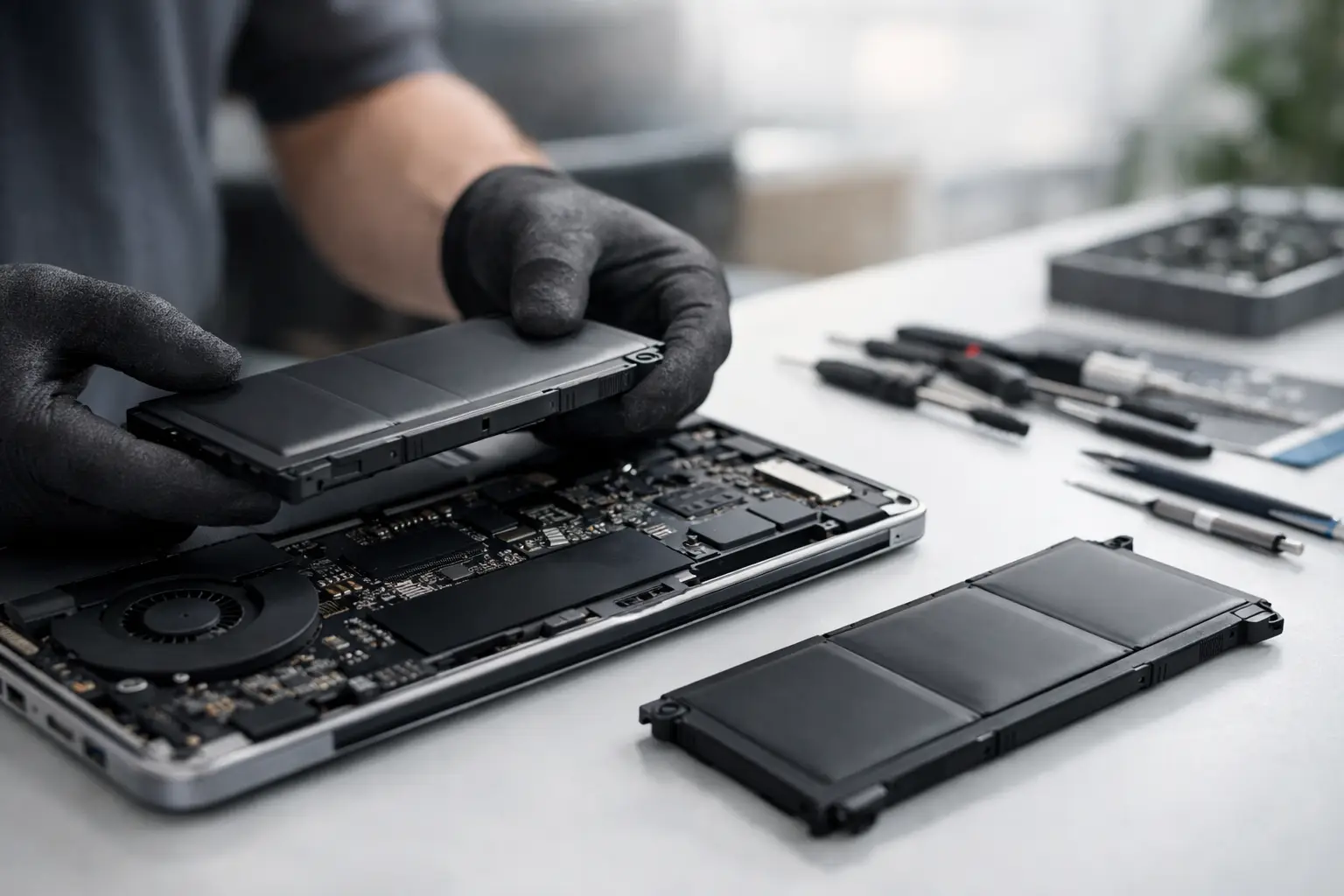
A laptop that dies at 35%, only works while plugged in, or gets unusually hot is not having a small off day. It is usually telling you the battery is near the end. This guide to laptop battery replacement is for people who need a clear answer fast – replace it now, wait a little longer, or bring it in before it causes bigger problems.
For most users, battery problems start as an annoyance and quickly become a daily disruption. Students lose charge mid-class. Remote workers hunt for outlets during meetings. Families end up with a “portable” computer that never leaves the desk. The good news is that battery replacement is often a straightforward fix when the issue is caught early and handled properly.
Laptop batteries do not last forever. They wear down with every charge cycle, and over time they hold less power, charge more slowly, and become less reliable. If your laptop used to last six hours and now struggles to make it through ninety minutes, that is a strong sign the battery is no longer doing its job.
There are a few symptoms that usually point to replacement rather than a software tweak. One is sudden shutdowns even when the battery indicator still shows charge remaining. Another is a battery that drains unusually fast during light use like browsing, email, or document work. You may also notice the charging percentage jumping around or getting stuck.
The most urgent sign is physical swelling. If the bottom case looks raised, the trackpad feels tight, or the keyboard seems to bulge upward, stop using the laptop and get it checked right away. A swollen battery is not a wait-and-see issue. It can damage internal components and create a safety risk.
Not every charging problem means the battery itself has failed. Sometimes the issue is the charger, the charging port, the power management settings, or a board-level fault. That is why a proper diagnosis matters before replacing anything.
A good repair shop will test the battery health, charging behavior, adapter function, and internal connectors before recommending parts. This saves you from paying for a battery you did not actually need. It also helps catch situations where a failing port or motherboard issue is the real reason the laptop is not charging.
This is where speed and accuracy matter together. A fast repair is great, but only if the first diagnosis is correct. If the battery is the problem, replacing it with the right part can restore portability and extend the life of the laptop. If the issue is something else, replacing the battery alone will not solve it.
Sometimes yes, but it depends on the model and your comfort level. Older laptops often had removable batteries that clicked in and out without tools. Many newer models do not. They use internal batteries secured with screws and delicate connectors, and opening the device can be harder than people expect.
The trade-off is simple. A DIY battery replacement may look cheaper at first, but it comes with risk. Wrong parts, stripped screws, damaged cables, punctured cells, and case damage are all common problems when someone is working without the right tools or experience. Even a small mistake can turn a basic battery job into a much more expensive repair.
There is also the quality question. Not all replacement batteries are equal. Cheap aftermarket batteries can have poor capacity, inconsistent performance, or shorter lifespan. In some cases, they may not communicate properly with the laptop’s battery management system. That can lead to false charge readings, unstable performance, or charging errors.
For users who rely on their laptop every day, professional replacement usually makes more sense. You get proper installation, genuine parts or quality-tested equivalents, and a warranty that gives you some peace of mind if the new battery does not perform as expected.
For most modern laptops, the process starts with opening the bottom case carefully, disconnecting the old battery, checking the connector and surrounding components, and installing the new unit. A technician may also inspect for signs of heat damage, liquid exposure, or swelling that has affected other parts.
After the new battery is installed, the laptop should be tested for charging behavior, battery recognition, and basic performance. In some cases, a BIOS update or battery calibration may be recommended. The exact steps depend on the brand and model, but the goal is the same – make sure the repair solves the real problem and the laptop is safe to use.
This is one reason same-day service is so valuable for common battery jobs. If the part is in stock and the issue is limited to the battery, many replacements can be completed without sending the device away for days. That matters if your laptop is tied to work, school, travel, or daily communication.
Pricing depends on the laptop brand, age, battery type, and part availability. A standard consumer model is usually more affordable than a premium ultrabook or business laptop with a specialized internal battery. Some batteries are easy to source. Others are rare, model-specific, or require more labor to install.
The cheapest quote is not always the best value. If a low price means poor battery quality, no testing, or no warranty, you may end up paying twice. A better approach is to ask what kind of battery is being used, whether diagnostics are included, and what warranty backs the repair.
Transparent pricing matters here. Customers want to know what they are paying for and whether the repair is worth it compared with replacing the laptop. In many cases, if the laptop still performs well otherwise, a battery replacement is one of the most affordable ways to get more life out of the device.
A new battery should restore noticeably better runtime, but exact results depend on your laptop and how you use it. Streaming video, gaming, design software, and dozens of browser tabs will drain any battery faster than basic office work. Screen brightness and background apps also make a difference.
In general, a healthy replacement battery should give you stable charging, predictable battery percentage readings, and much better unplugged use than a worn-out original battery. It should not fix every performance complaint, though. If the laptop is slow because of low memory, storage issues, overheating, or software problems, a new battery will not change that.
That is why honest guidance matters. The best repair advice is not just “replace the part.” It is explaining what the replacement will solve, what it will not solve, and whether the device is still worth investing in.
If you are comparing repair options, look for a shop that keeps the process simple. You want clear diagnostics, fast repairs, genuine parts when available, and a comprehensive warranty. You also want technicians who work on laptops regularly, not a place that treats them as an occasional side job.
Turnaround time matters, but communication matters too. A good shop should be able to tell you whether your battery is in stock, how long the replacement will take, and if anything else was found during inspection. That removes the guesswork and helps you decide quickly.
If you need a practical local option, iFix Hub focuses on fast repairs, free diagnostics, and same-day service for common device issues. For customers who need their laptop back without the usual delay, that kind of service can make the difference between a minor inconvenience and a major disruption.
If your laptop battery is swollen, shutting down unexpectedly, or only working on the charger, do not wait. Those are signs the problem is already affecting reliability or safety. If the battery life is just shorter than it used to be but still manageable, you may have a little time, especially if the laptop mostly stays at a desk.
Still, waiting has a cost. A weak battery makes the laptop less dependable, and in some cases a failing battery can strain your charging habits and increase heat. If you need portability, consistent performance, and fewer interruptions, replacement is usually the smarter move sooner rather than later.
A battery is supposed to give you freedom, not force you to sit next to a wall outlet all day. If your laptop has stopped being portable, that is usually the clearest sign it is time to fix the problem and get back to using it the way you actually need to.






Need help? Our team is just a message away