

No products in the cart.
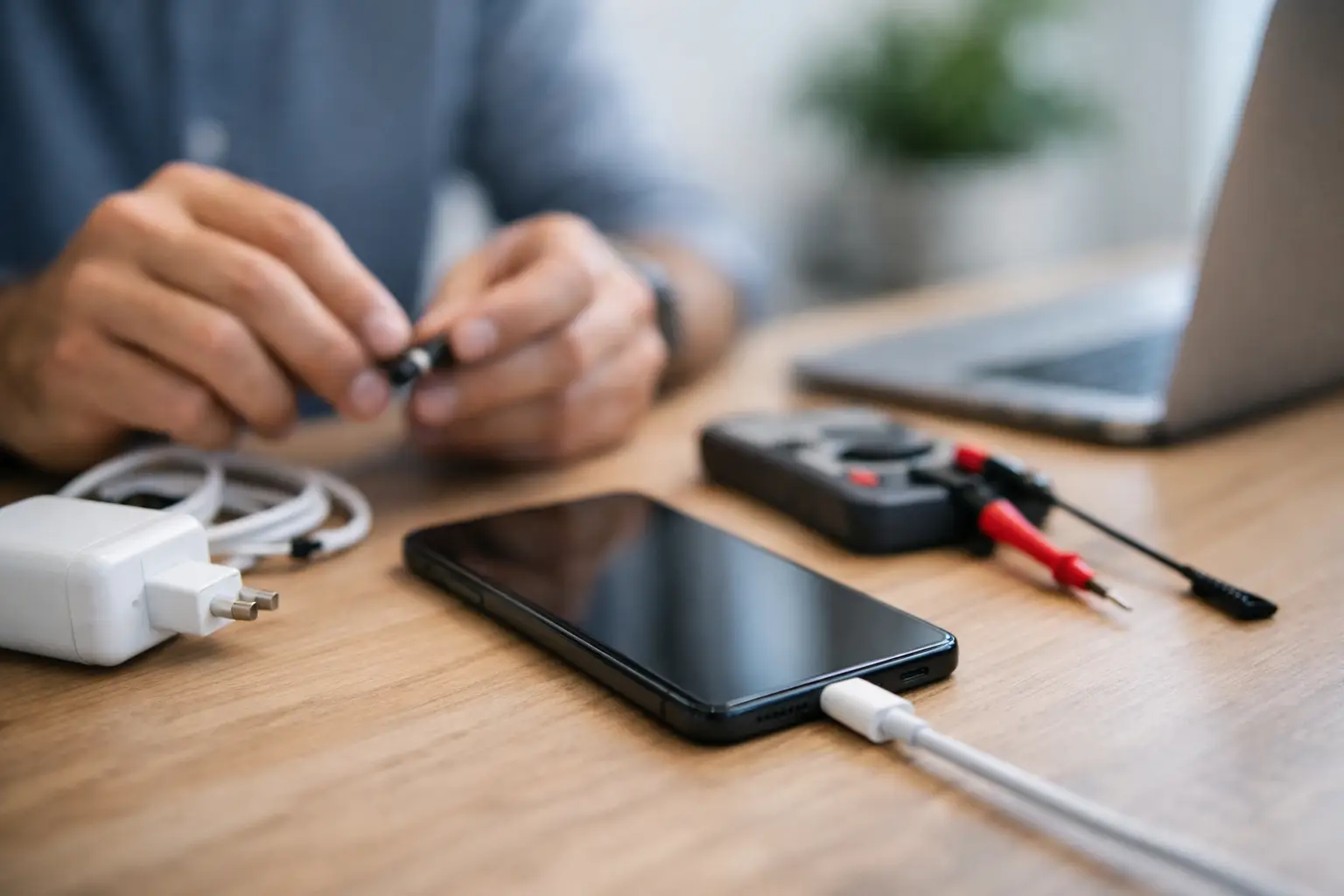
Your phone says it is charging, but the battery percentage does not move. Or your laptop only powers up if the cable sits at one exact angle. That is usually the moment people start searching for how to fix charging problems, and the truth is simple: some causes are easy to handle at home, while others need a fast professional repair before the damage gets worse.
Charging issues rarely show up out of nowhere. In most cases, the problem comes down to one of four things: the charger, the cable, the power source, or the device itself. The good news is that you can rule out the obvious causes quickly. The even better news is that if the issue is internal, getting it diagnosed early can save you time, money, and a lot of frustration.
The fastest way to deal with a charging issue is to stop guessing and check the basics in order. Start with the charging cable. Cables wear out more often than people think, especially if they are bent near the connector, used in the car, or packed tightly into bags. A cable can look fine on the outside and still fail internally.
Try a different cable that you know works. If your device starts charging normally, the problem is probably not the phone or laptop at all. It is just the cable. The same goes for the wall adapter. Swap it with a tested charger that matches your device’s power needs. A weak, damaged, or low-quality adapter can cause slow charging, intermittent charging, or no charging at all.
Next, check the power source. Wall outlets can fail, surge protectors can act up, and USB ports on older laptops or cars often do not provide stable power. Plug the charger into a different outlet and avoid testing through random USB hubs or public charging stations. If your device charges properly in one spot but not another, the issue may be external.
If you have already tested the cable, adapter, and outlet, take a close look at the charging port. Dust, lint, and pocket debris are a common reason devices stop charging properly. This happens a lot with smartphones because the port is exposed every day. Even a small buildup can stop the connector from seating fully, which leads to loose charging or repeated disconnects.
A dirty charging port is one of the most common issues, but it is not the only one. Ports can also become damaged from rough plugging, drops, or using the wrong cable. If the connector wiggles too much, feels loose, or only works when pushed a certain way, the port may be worn or partially broken.
Battery health is another major factor. If a phone or laptop has been used heavily for a few years, the battery may no longer hold or accept a charge normally. In that case, the device may charge very slowly, shut off unexpectedly, or drain from 30 percent to zero much faster than it should. Many people assume the charger is the issue when the battery is actually at the end of its life.
Software can play a role too. After updates, some devices temporarily behave strangely with charging indicators, battery calibration, or power management. That is less common than a cable or port issue, but it does happen. Restarting the device and checking for system updates can sometimes solve minor charging glitches.
Then there is liquid exposure. Even if your phone or laptop seems to work fine after a spill, charging components may have started corroding. In those cases, forcing the device to charge can make things worse. If there is any chance the device got wet recently, it is better to stop testing it and get it checked right away.
If the issue is clearly caused by a bad cable, worn adapter, or dirty port, you may be able to solve it on your own. Start with safe, basic steps. Power the device off, inspect the port under good light, and look for visible dust or lint. If debris is packed inside, remove it gently and carefully. Avoid metal tools, and do not force anything into the port.
For software-related issues, a restart is worth trying. On laptops, you can also check battery and charging settings. On smartphones, removing any charging accessories or magnetic attachments during testing can help rule out interference. Wireless charging users should also test without thick cases, metal plates, or off-brand charging pads that may cause poor alignment.
There is a limit to DIY fixes, though. If the device still will not charge after you have tested with working accessories and cleaned the port carefully, continuing to mess with it usually does not help. At that point, you are more likely dealing with a damaged charging port, a failing battery, or an internal board issue.
Phones and laptops share some of the same charging trouble signs, but the repair path can be different. With phones, charging ports tend to take the most daily abuse. They collect pocket lint, get yanked by cables, and often suffer wear from constant use. Battery aging is also common, especially on devices that have been fast-charged heavily for years.
Laptops bring a few extra variables. Some use barrel connectors, others use USB-C, and power requirements vary more. A charger that physically fits is not always the right charger. If the wattage is too low, the laptop may show a charging light but still lose battery during use. In some cases, the charging port on the laptop is fine, but the DC jack, internal charging circuit, or battery has failed.
That is why the symptoms matter. A phone that only charges at an angle often points to port damage. A laptop that says plugged in, not charging may be dealing with battery health, software settings, or power delivery mismatch. The problem can look similar from the outside while the actual repair is completely different.
If your device gets hot while charging, charges on and off, only works with pressure on the cable, or stopped charging after a drop or water exposure, it is time for a proper diagnostic. Those signs usually point to something more serious than a bad cable.
The same applies if you already replaced the charger and still have the same issue. At that stage, spending more money on random accessories often costs more than just having the device checked by a technician. A professional diagnosis helps separate a simple battery replacement from a charging port repair or a deeper board-level problem.
This is where speed matters. Charging issues tend to get worse, not better. A loose port can break further. A bad battery can swell. Corrosion can spread after moisture exposure. Getting same-day service can prevent a minor repair from turning into a more expensive one.
At iFix Hub, this is exactly the kind of problem customers bring in every day. A fast diagnostic, clear explanation, genuine parts, and a comprehensive warranty make a big difference when you need your phone or laptop back without the long wait of a manufacturer service center.
Once the issue is fixed, a few habits can help prevent repeat problems. Use quality chargers that match your device, and replace damaged cables early instead of waiting until they fail completely. Try not to yank cords out by the wire, and avoid using your device aggressively while it is plugged in if that bends the connector.
Keeping the charging port clean also helps, especially for phones that spend a lot of time in pockets or bags. If you use wireless charging, make sure the charger is reliable and aligned correctly. Cheap accessories can seem like a bargain, but they often cause slower charging, inconsistent power, and unnecessary wear over time.
Battery care matters too, although there is some flexibility here. You do not need to obsess over percentages, but frequent overheating is bad news. Leaving a device in a hot car, using poor-quality chargers, or ignoring a battery that drains unusually fast can shorten battery life sooner than expected.
If you are trying to figure out how to fix charging problems, the best approach is simple: test the easy things first, do not force a bad connection, and do not wait too long if the symptoms point to hardware trouble. A charging problem is frustrating, but it is usually fixable – and the sooner you deal with it, the sooner your device gets back to doing its job.





Need help? Our team is just a message away
2 Responses