

No products in the cart.
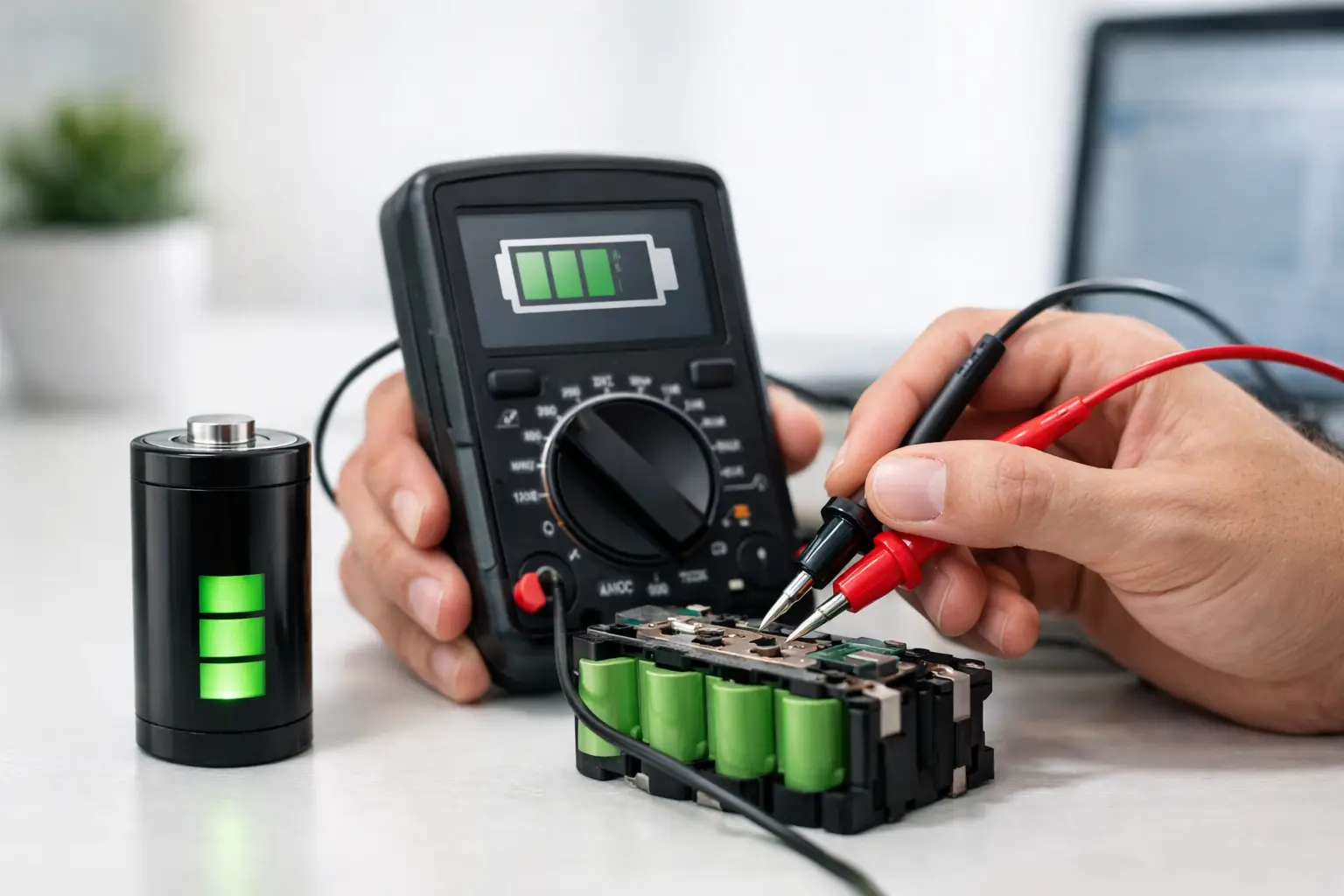
Your phone drops from 28% to 9% on the way to work, or your laptop only lasts an hour off the charger. That is usually when people start asking how to tell battery health before the problem gets worse. The good news is you do not need to guess. Most battery issues leave clear signs, and a quick check can tell you whether the battery is aging normally or needs attention now.
A weak battery does more than shorten screen time. It can slow performance, cause random shutdowns, interrupt calls, and make your device unreliable when you need it most. For students, remote workers, parents, and anyone handling daily tasks on the go, that is more than annoying. It is disruptive. If your device is part of your routine, battery health matters because it affects speed, stability, and peace of mind.
Start with what your device is doing day to day. A battery that drains much faster than it used to is the most obvious warning sign, but it is not the only one. If your phone gets unusually hot while charging or doing simple tasks, if the battery percentage jumps around, or if the device shuts off before reaching 0%, those are common signs of battery wear.
Charging behavior can also tell you a lot. If the battery takes forever to charge, only charges at a certain angle, or seems to stall at one percentage for too long, the issue could be the battery, the charging port, or the cable. That is where people sometimes misread the problem. A bad battery and a bad charger can look similar at first.
Physical changes matter too. If the back of the phone is lifting, the screen is separating from the frame, or the laptop chassis looks swollen, stop using the device and get it checked right away. A swollen battery is not a wait-and-see issue.
Many smartphones already give you useful battery information. On iPhones, there is a built-in battery health section that shows maximum capacity and whether the battery can still deliver peak performance. If that number has dropped significantly, the battery has aged and will not hold a charge like it once did.
On Android, it depends on the brand and model. Some Android phones show battery condition in the settings, while others are more limited. Even when a direct battery health percentage is not available, you can still look at battery usage data. If one full charge suddenly gets you far less time than it did a few months ago, that is a practical sign the battery is wearing out.
What counts as normal wear? It depends on age, usage habits, charging patterns, and heat exposure. A battery naturally loses capacity over time. If your phone is a couple of years old and the battery life feels weaker, that is expected. If the drop is sudden or severe, it is worth getting a free diagnostic before the issue affects the rest of the device.
If your iPhone shows a maximum capacity in the low 80s or below, you will usually notice shorter runtime. Some users are fine with that if they stay near a charger all day. Others are frustrated long before then because they travel, commute, or work from their phones. That is the trade-off. The percentage matters, but so does how you use the device.
A performance management warning is another sign to take seriously. It means the phone has experienced battery-related instability. At that point, replacement is often the simplest way to get back to normal daily use.
Since Android varies by manufacturer, the best approach is to combine built-in battery data with real-world behavior. Look for excessive background drain, overheating during light use, charging that feels inconsistent, and battery life that no longer matches your routine. If your phone used to last all day and now needs a midafternoon charge with the same usage, that is useful evidence.
Laptop batteries usually fade more gradually, so people often adjust without realizing it. You start carrying the charger more often. Then you stop trusting the battery at all. If your laptop cannot hold a useful charge or loses power quickly during basic tasks like email, browsing, or video calls, the battery may be near the end of its life.
Most laptops can generate some kind of battery report or show battery condition in system settings. You do not need to be highly technical to use that information. Compare the current full charge capacity to the original design capacity. If there is a large gap, the battery has aged.
Just as important is the real test: how long it actually lasts. Battery reports are helpful, but daily performance is what affects you. If the laptop dies during meetings, drains heavily in sleep mode, or powers off when unplugged even though it showed charge remaining, the battery is no longer dependable.
Heat is again a factor here. Laptops that run hot for long periods often see faster battery wear. Heavy creative work, gaming, blocked vents, and constant charging can all contribute over time. That does not always mean the battery is the only problem, but it is often part of the picture.
A lot of people wait until the battery completely fails. That usually means dealing with shutdowns at the worst time possible. In most cases, your device gives you plenty of warning first.
You should take battery replacement seriously if your phone or laptop drains unusually fast, shuts down randomly, overheats during normal use, struggles to charge, or shows visible swelling. Another clear sign is when your device only works reliably while plugged in. At that point, the battery is no longer supporting normal use.
There is some room for judgment. If your device is older and you only use it lightly at home, reduced battery life may be manageable. If you rely on it for work, school, travel, navigation, or customer calls, a weak battery becomes an urgent problem fast. Reliability is really the question. If you cannot trust the device away from the charger, the battery is already affecting your day.
Battery health numbers are useful, but they are not the full story. A phone can show decent capacity and still have charging issues caused by a dirty port, damaged cable, software issue, or power management fault. A laptop can appear to have a battery problem when the real issue is the charger or motherboard.
That is why a proper diagnostic matters. It saves time, avoids unnecessary replacement, and makes sure the fix actually solves the problem. Fast repairs only help if the diagnosis is right the first time.
Once you know how to tell battery health, the next step is slowing future wear. Heat is the biggest enemy, so avoid leaving devices in a hot car or using them heavily while charging whenever possible. Using quality chargers also helps, since unstable power can create charging problems that look like battery failure.
You do not need to obsess over every percentage point. Most users are better off focusing on simple habits: keep software updated, avoid extreme heat, unplug damaged accessories, and do not ignore sudden changes in battery behavior. If the device starts acting differently, it usually has a reason.
For people who need their phone or laptop all day, the practical move is to act early. Replacing a weak battery is usually cheaper and less disruptive than waiting for a complete failure that interrupts work or risks damage from swelling.
If you are seeing fast drain, random shutdowns, overheating, or charging problems and want a clear answer, a hands-on diagnostic is the quickest way forward. That is especially true when the symptoms overlap. Battery, charging port, and software issues can mimic each other.
A trusted repair shop can confirm whether the battery is actually the problem, explain your options clearly, and replace it with genuine parts if needed. At iFix Hub, that kind of check is designed to be straightforward – fast repairs, same-day service when available, and a comprehensive warranty for extra peace of mind.
A battery should not make you plan your day around wall outlets. If your phone or laptop is becoming unpredictable, that is your sign to get it checked before a small problem turns into a bigger one.





Need help? Our team is just a message away