

No products in the cart.
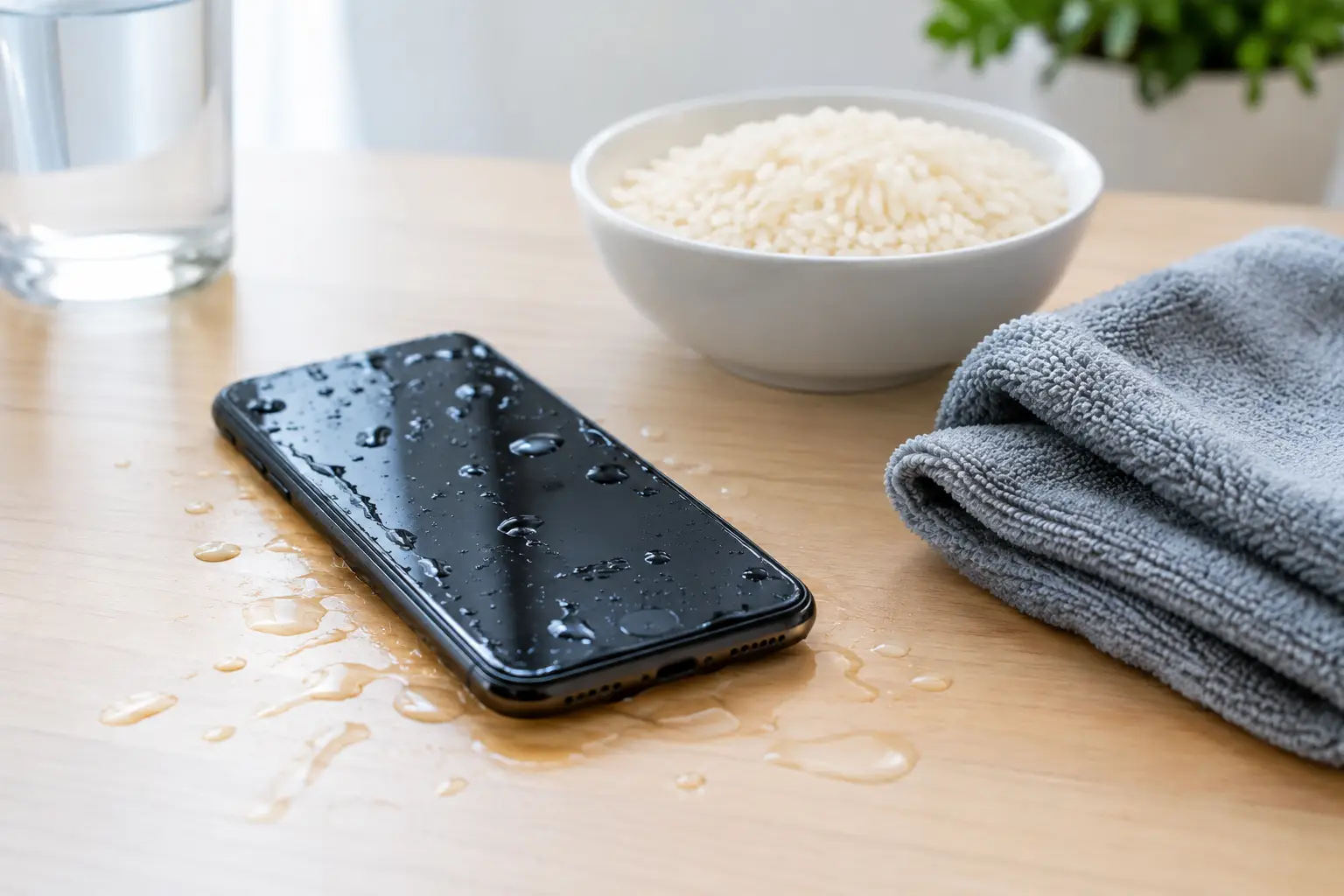
Your phone falls into a sink, pool, toilet, or rain puddle. The screen may still light up, so it is tempting to keep testing it. Don’t. Waterlogged phone restoration has the best chance of success when you stop power immediately and get the device checked before corrosion spreads through the internal components.
A wet phone is not always a lost phone. Fast, professional service can often protect your data, restore charging, and prevent a small spill from turning into a costly replacement. The key is knowing what to do in the first few minutes and what well-meaning home remedies can make worse.
Remove the phone from the water right away and turn it off. If it is already off, leave it off. Do not press the power button to see whether it works, make a call, plug in a charger, or connect it to a computer. Electricity and moisture are a bad combination, and powering a wet device can create a short circuit that damages the board.
Take off the case and remove any accessories, including charging cables, earbuds, and external attachments. If your phone has a removable SIM tray, take it out and gently blot the outside with a clean, lint-free cloth. Hold the device with the charging port facing down so excess water can drain out naturally.
If water reached your phone after a drop in saltwater, a chlorinated pool, soda, coffee, or another liquid, professional cleaning becomes even more urgent. These liquids leave behind residue that can corrode connectors and internal circuits long after the phone appears dry.
The most common mistakes happen after the spill, not during it. A phone that looks fine on the outside can still have moisture trapped under shields, near the battery, or inside the charging port.
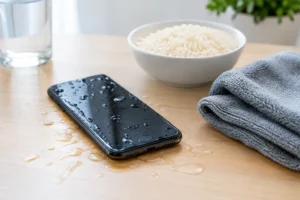
Do not put the phone in rice. Rice does not remove internal moisture effectively, and dust or starch can get into ports and speakers. It also wastes valuable time while corrosion continues to develop.
Avoid using a hair dryer, oven, microwave, radiator, or direct sunlight. High heat can warp seals, damage the display, weaken adhesives, and push moisture deeper into the phone. Do not shake the device aggressively either. That can move water into areas that were previously dry.
Most importantly, do not charge a wet phone. Even if the battery is low and you need it for work, travel, or family communication, plugging it in can turn a repairable problem into a serious board-level failure. Use another device to stay connected while your phone is being assessed.
Professional waterlogged phone restoration is more than drying the outside of the device. A trained technician opens the phone, inspects the internal indicators and components, checks for corrosion, and carefully cleans affected areas. The goal is to stop damage before it reaches critical parts such as the battery connection, charging circuit, cameras, display connectors, and logic board.
A successful repair depends on several factors. Clean water is generally less damaging than saltwater or sugary drinks. A phone recovered within hours has a better outlook than one left wet overnight. The amount of liquid, where it entered, and whether the phone was powered on also affect the repair path.
Some phones are marketed as water-resistant, but that does not mean they are waterproof forever. Seals can weaken from everyday wear, previous screen repairs, drops, heat exposure, and age. Water resistance is helpful, but it is not a guarantee that the phone will survive a full submersion without service.
Sometimes the warning signs show up right away. Other times, a phone works for a day or two before problems appear. If you notice any of the following, stop using the device and bring it in for diagnostics:
These symptoms do not always mean the phone is beyond repair. They do mean waiting can make the issue more expensive. Corrosion works quietly, especially around delicate connectors and power components.
For many people, the phone itself matters less than what is on it. Family photos, work files, messages, authentication apps, contacts, and notes may not be fully backed up. That is why fast water damage service matters even when the screen is broken or the phone will not start.
Data recovery may be possible if the main board can be stabilized long enough for the device to power on and unlock. However, it depends on the level of damage and the phone’s security settings. Modern devices encrypt data, so simply moving storage chips to another phone is usually not a practical option.
Be honest with the technician about what matters most. If your priority is retrieving photos or files, say so before repair begins. That helps the repair team choose the safest approach instead of focusing only on making the phone look and function like new.
A trustworthy repair shop should start with clear diagnostics, not guesses. The technician should inspect the device, explain what they find, and tell you whether the issue appears limited to a port, battery, screen, or deeper internal damage. You should also receive straightforward pricing before major work begins.
Some water damage repairs can be completed the same day, especially when the phone is brought in quickly and corrosion is limited. More serious cases may need additional testing, component replacement, or data recovery work. The right answer depends on the device and the liquid exposure, not a one-size-fits-all promise.
At iFix Hub, certified technicians provide free diagnostics and explain the repair options in plain language. When parts are needed, quality components and warranty-backed service help you move forward with confidence instead of wondering whether the problem will return next week.
Once your phone is restored, take a few practical steps to reduce the risk of another emergency. Back up photos and essential files regularly. A protective case can reduce damage from the drop that often happens before water exposure, while a port cover may help in dusty or wet work environments.
If you spend time around pools, beaches, job sites, or unpredictable weather, keep a waterproof pouch in your bag. It is a small accessory, but it can save you from a major repair and a stressful scramble to recover important data.
A water-damaged phone does not need more guessing, charging attempts, or time in a bowl of rice. Turn it off, keep it dry, and have it checked as soon as possible. Quick action gives your device, your data, and your budget the best chance of a good outcome.


Need help? Our team is just a message away