
No products in the cart.
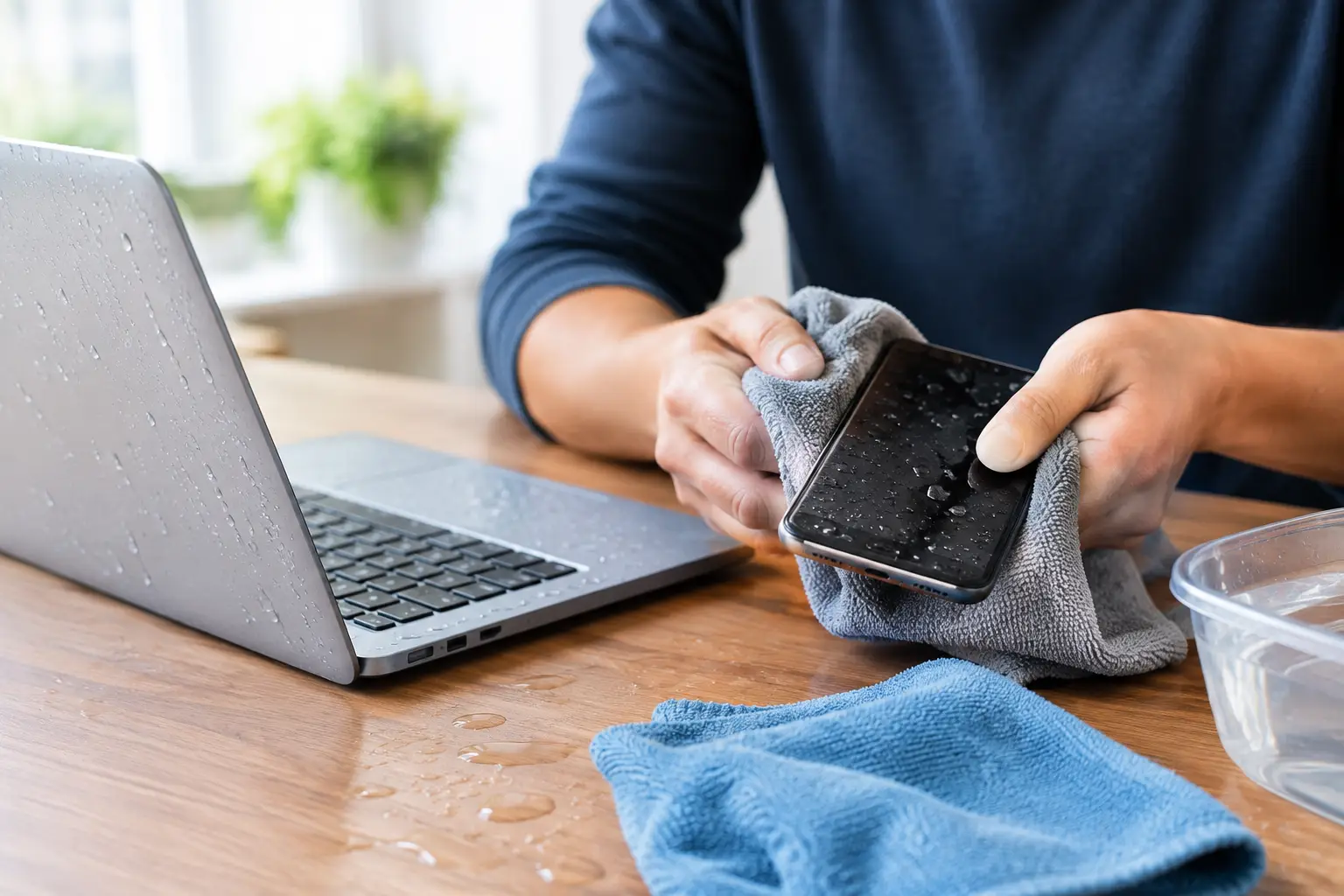
A phone dropped in the sink or a laptop hit by a spilled drink can go from a small accident to a major problem in seconds. Fast water damage recovery gives your device its best chance, especially when you act before corrosion spreads, the battery shorts, or important data becomes inaccessible.
The goal is not to make the device look dry on the outside. The goal is to stop power from reaching moisture inside the device, remove contaminants, and assess what actually needs repair. That is why the first few minutes matter more than most people realize.
First, remove the device from the water and turn it off right away. If a phone screen is still lit, power it down instead of testing the touchscreen, camera, speakers, or charging port. With a laptop, shut it down, unplug the charger, and disconnect any accessories such as a mouse, flash drive, or external monitor.
Do not charge the device. Do not plug it into a computer. Electricity and moisture are a bad combination, and charging a wet phone or laptop can cause further damage to the battery, charging circuit, display, or logic board.
Remove what you safely can without forcing anything. Take off the phone case, remove the SIM tray, and gently wipe the exterior with a clean, lint-free cloth. For a laptop, place it on a towel with the keyboard facing down at a slight angle so liquid can drain away from the internal components. Avoid shaking it aggressively, which can push moisture deeper into areas it has not reached yet.
If the liquid was anything other than clean water, professional help becomes even more urgent. Soda, coffee, tea, juice, saltwater, pool water, and alcohol can leave residue behind. Even after the moisture evaporates, that residue can corrode connectors and cause problems days or weeks later.
The most common mistakes are well-intentioned. A device may seem to work after a spill, but turning it on repeatedly to check can make a manageable repair much more complicated.
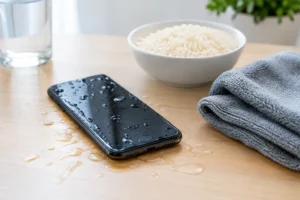
Do not put your phone or laptop in rice. Rice does not remove internal moisture effectively, and small particles can get into charging ports or openings. It also does nothing to clean residue from sugary or salty liquids.
Skip the hair dryer, oven, microwave, heater, and direct sunlight. High heat can warp seals, damage displays, weaken adhesives, and harm the battery. Compressed air is not a safe shortcut either. It can force liquid farther into microphones, cameras, buttons, and ports.
Most importantly, do not assume a device is safe because it powers on. Water damage is often delayed. A phone may work for a day, then develop a flickering screen, unreliable charging, muffled audio, overheating, or battery drain after corrosion begins. A laptop may boot normally before keys stop responding or the motherboard fails later.
Water damage recovery is not one standard repair. The right solution depends on the device, how long it was exposed, the type of liquid, and whether it had power when the incident happened. A certified technician can inspect the device for moisture indicators, corrosion, damaged components, and data risks before recommending unnecessary repairs.
For smartphones, a proper inspection may include checking the charging port, battery connection, cameras, speakers, microphones, display connectors, and internal board. For laptops, the technician may need to assess the keyboard, trackpad, battery, storage drive, charging system, and motherboard. The sooner this happens, the better the chance of preventing corrosion from spreading.
This is also where free diagnostics can save time and money. Rather than guessing whether you need a new screen, battery, charging port, or a full replacement device, you get a clear explanation of what is affected and what can realistically be repaired. At iFix Hub, the focus is on fast repairs, straightforward recommendations, and getting your device back into your hands without unnecessary delays.
Often, yes. Data recovery depends on which components were affected and whether the storage system is still accessible. Photos, messages, work files, contacts, and notes may still be recoverable even when the screen will not turn on or the device cannot charge normally.
Do not keep entering passcodes or attempting repeated restarts if your device is wet. Those attempts may not help, and they can increase the risk of a short circuit. Let the technician know whether your most important priority is restoring daily use, recovering data, or both. That helps guide the repair plan.
For a laptop, do not remove the drive unless you are comfortable handling delicate hardware and understand the risks. Modern laptops may use encrypted storage or soldered components, which makes DIY data recovery far less simple than it appears. Professional diagnostics can determine whether the issue is limited to the display, battery, keyboard, or charging system instead of the storage itself.
Some symptoms demand immediate attention, even if your phone is still usable. Watch for a charging warning, a blank or flickering display, fog inside the camera lens, distorted speaker sound, random restarts, overheating, or a battery that drains unusually fast.
A damaged charging port is especially easy to overlook. If the port was exposed to liquid, do not force a cable into it or try to scrape it clean with metal tools. A technician can inspect the port safely and determine whether it needs cleaning, repair, or replacement.
Water-resistant phones can still suffer damage. Water resistance is not permanent, and seals can weaken after age, drops, screen repairs, heat exposure, or normal wear. Water resistance also does not mean protection from every liquid. A phone that survives a quick splash may not survive a pool, beach, bathtub, or spilled sports drink without service.
With laptops, liquid can reach several layers at once. A small spill near the keyboard can affect the keyboard assembly, trackpad, battery, motherboard, or storage connection. Even if only a few keys are sticky, moisture may be sitting underneath where you cannot see it.
If you spilled liquid on a work or school laptop, notify the appropriate person before attempting a repair yourself. You may need to preserve files, follow company policy, or document the incident. For personal devices, bring the laptop in as soon as possible and explain what was spilled, where it landed, and whether the laptop was powered on.
It is tempting to wait overnight and see if everything dries. That can work in rare, minor cases involving clean water and very limited exposure. But waiting is a trade-off: the longer residue remains inside, the more time corrosion has to develop. For a device you depend on every day, prompt diagnostics are usually the safer and more affordable choice.
A quality case adds everyday protection, but it is not a guarantee against submersion. Keep phones away from sink edges, bathtub ledges, and open drinks. Use a secure bag or waterproof pouch around pools, beaches, and boats. For laptops, keep drinks on the opposite side of the desk from the charging cable and use a bottle with a lid when possible.
Backups matter just as much as physical protection. Turn on automatic cloud backup for your phone, keep important laptop files backed up regularly, and know your account passwords. If an accident happens, you will have more options and less stress while your device is being diagnosed.
A water-damaged device does not always mean replacement. Turn it off, keep it unplugged, avoid DIY heat or rice tricks, and get a professional assessment quickly. Quick action can be the difference between a simple repair and losing the device, the data, and the time you cannot afford to waste.


Need help? Our team is just a message away