

No products in the cart.
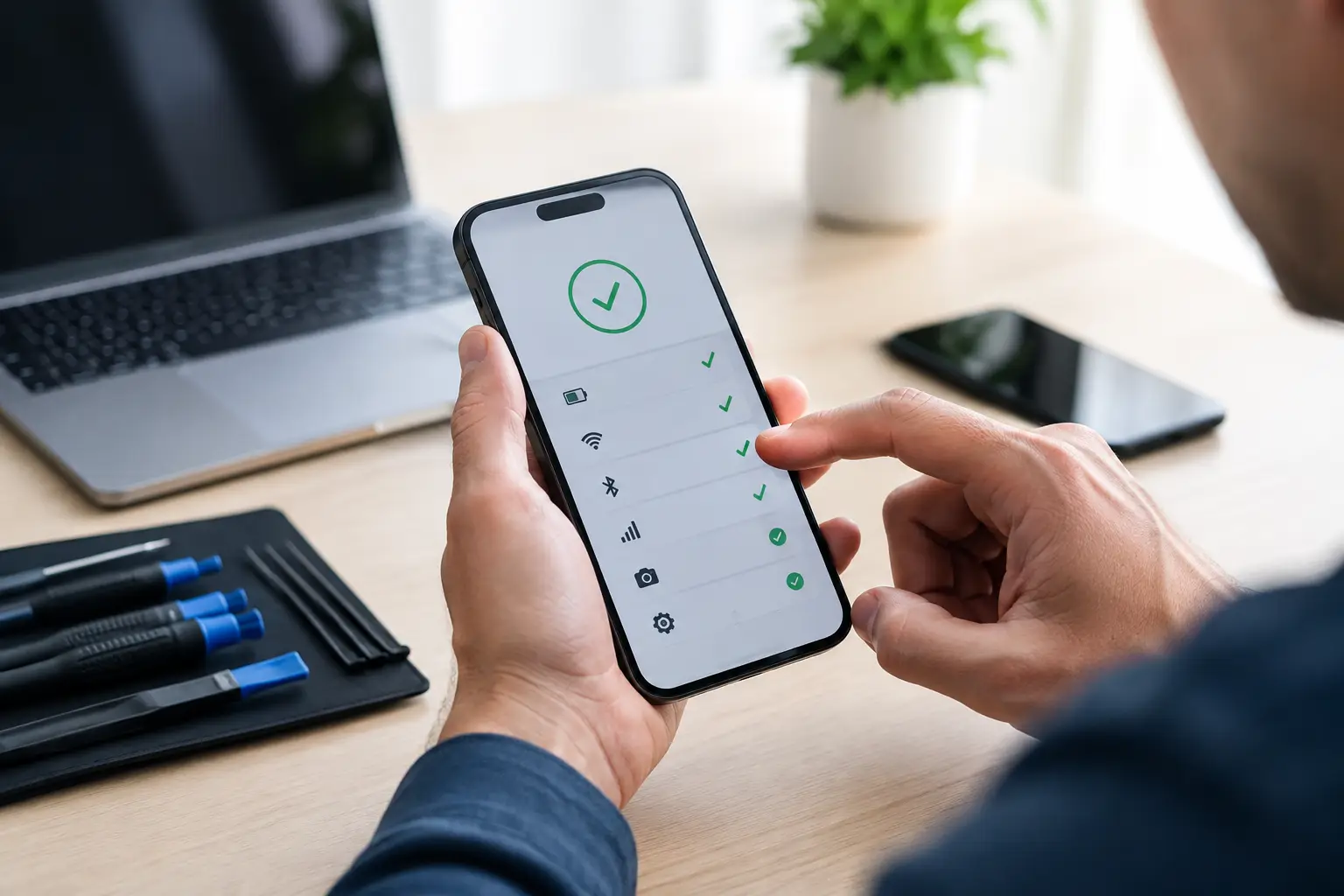
A phone that will not charge, a laptop that keeps restarting, or a screen that suddenly goes black creates one urgent question: is free device diagnosis accurate enough to trust? Usually, yes – when the inspection is performed by an experienced technician using a clear process. But a free diagnosis is an assessment, not a promise to guess every hidden issue before a device is opened or tested further.
For most common problems, a professional diagnosis can quickly point to the likely cause and the right repair. The value is simple: you get honest direction before spending money, and the repair shop gets the chance to show you how it works.
Free diagnostics are often highly accurate for visible, common, and repeatable problems. A cracked display, worn-out battery, damaged charging port, faulty camera, and many speaker or microphone issues leave recognizable symptoms. A technician who handles these repairs every day can inspect the device, run basic tests, and explain what is likely wrong without charging you just to start the conversation.
For example, if your phone only charges when the cable is held at a certain angle, the issue may be lint packed into the port, a damaged charging cable, or a worn charging port. A good inspection rules out the easy causes first. If a cable test and careful port inspection show damage, a charging port repair becomes a reasonable recommendation rather than a blind guess.
The same applies to battery problems. Fast battery drain, unexpected shutdowns, overheating, and a phone that only works while plugged in can all point to battery wear. Software activity, poor signal, and water exposure can produce similar symptoms, though. That is why an accurate diagnosis means looking at the whole picture, not simply replacing the first part that seems suspicious.
A no-cost diagnosis should still feel professional. The technician should listen to what happened, ask when the problem started, and check the device’s basic functions. They may test charging behavior, display response, cameras, speakers, buttons, battery performance, Wi-Fi, or signs of liquid exposure depending on the issue.
You should also get a plain-English explanation of the likely repair, the estimated price, and what could change after the device is opened. That last part matters. Transparent repair shops do not hide uncertainty. They tell you when a repair is straightforward and when there is a chance of additional damage.
At iFix Hub, the goal of a free diagnosis is to give customers a practical answer quickly, not to pressure them into a repair they do not need. If a simple cleaning, setting adjustment, or replacement cable solves the problem, that is useful information too.
A trustworthy technician will distinguish between a confirmed fault and a likely fault. “Your screen is cracked and needs replacement” is usually clear. “Your phone has water damage and may need more testing after opening” is also honest, even if it is less convenient to hear.
Some device problems cannot be fully confirmed from the outside. Liquid damage is the clearest example. A phone may turn on after getting wet, then fail days later as corrosion spreads inside. Initial inspection can identify warning signs and provide a strong recommendation, but the full extent may only become clear after the device is opened.
Intermittent problems are another challenge. Maybe your laptop freezes only during video calls, your phone loses service in one location, or the device restarts once every few days. If the issue does not happen during the inspection, diagnosis relies on your description, device history, and targeted testing. That can still be useful, but it may not be 100 percent certain on the first visit.
Motherboard faults can also require deeper testing. A device with no power could have a failed battery, charging issue, damaged connector, or board-level problem. Starting with the most likely and cost-effective checks is the right approach. A reputable shop should let you know if advanced testing is needed before adding costs.
Software can complicate hardware symptoms as well. An outdated operating system, storage that is completely full, a bad app, or account-related restrictions can make a healthy device appear broken. Before approving a major repair, ask whether the technician has considered software causes and whether your data should be backed up first.
Customers sometimes assume a free diagnosis must be rushed or unreliable. In reality, it is a common service model for local repair shops because it lowers the risk for customers with an urgent problem. You should not have to pay a fee just to learn whether your cracked screen, weak battery, or charging issue has a practical fix.
Accuracy depends far more on the technician’s experience, testing process, and honesty than on whether the initial inspection has a price tag. Certified technicians, quality replacement parts, and a comprehensive warranty are stronger signs of dependable service than a diagnostic fee alone.
The warning sign is not “free.” The warning sign is a shop that gives no explanation, refuses to discuss pricing, pushes a repair immediately, or cannot tell you what the repair is expected to solve. A clear diagnosis should leave you feeling informed, not cornered.
A few direct questions can help you decide whether the recommendation makes sense. Ask what symptoms led to the diagnosis, whether the issue is confirmed or suspected, and whether there are less expensive causes worth checking first. If your device has water damage or does not power on, ask what additional problems could be discovered during repair.
It is also smart to ask about the part being used and the warranty coverage. Genuine or high-quality compatible parts can affect display performance, battery life, camera function, and long-term reliability. The lowest quote is not always the best value if it leaves you with a poor-quality part or no support when something goes wrong.
For phones and laptops that contain essential photos, work files, or customer information, ask about data protection before repair begins. Many screen, battery, and charging repairs do not require data access, but any device can fail unexpectedly when it already has underlying damage. If it still powers on, back up what you can as soon as possible.
Bring the device, its charging cable if charging is involved, and a short explanation of when the issue started. Mention drops, water exposure, recent updates, third-party repairs, and any error messages. These details save time and can prevent an incorrect diagnosis.
Try not to keep charging a wet device, force a damaged port, or repeatedly restart a laptop that is overheating. Those actions can turn a manageable repair into a more serious one. If a phone is swollen, hot, or has a lifting screen, stop using it and arrange an inspection promptly.
A free diagnosis is most useful when it gives you a clear next step: repair now, monitor the issue, replace an accessory, back up your data, or consider whether a repair is worth the cost. The right shop will make that decision easier, with straightforward advice and no unnecessary runaround. Bring in the device while the symptoms are still present, and you will have the best chance of a fast, accurate answer and a same-day repair when one is possible.





Need help? Our team is just a message away