

No products in the cart.
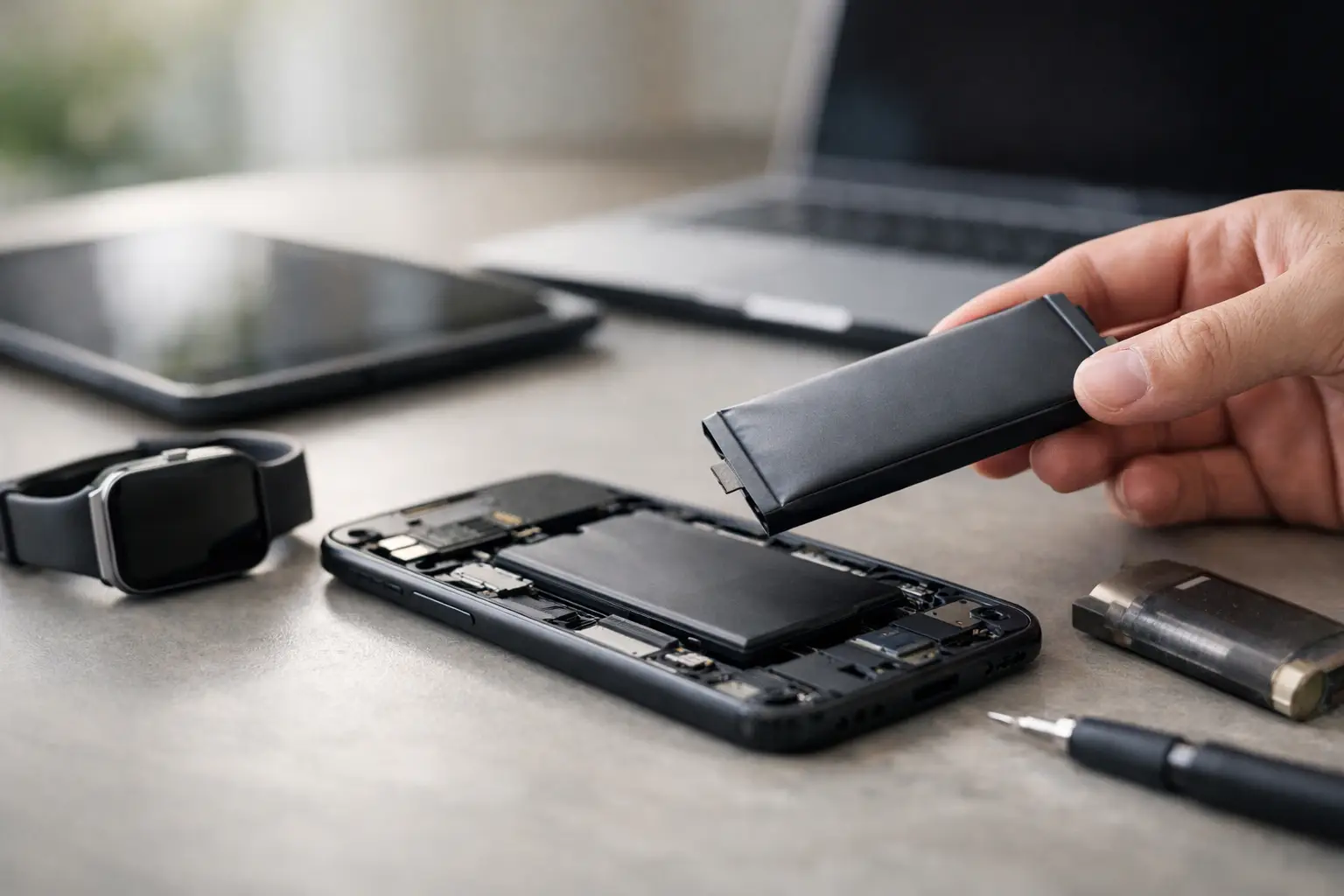
Your phone dies at 28%, your laptop only lasts an hour off the charger, and suddenly the question gets real: when should i replace battery on my device? Most people wait until the problem becomes impossible to ignore, but battery issues usually start showing up well before total failure.
A weak battery does more than shorten screen time. It can slow performance, trigger random shutdowns, cause overheating, and make a reliable device feel old before its time. The good news is that battery replacement is often a simple fix, especially when caught early.
The short answer is this: replace the battery when your device no longer gets you through a normal day, behaves unpredictably, or shows physical warning signs. If you have to plan your day around a charger, the battery is no longer doing its job.
For most smartphones, batteries start showing noticeable wear after about 2 to 3 years of regular use. For laptops, the timeline is often similar, though it depends on charge cycles, heat exposure, and how heavily the device is used. A device that gets daily use, frequent fast charging, or long hours in hot conditions may wear out faster.
That said, age alone is not the only factor. Some batteries decline gradually. Others drop off quickly. What matters most is how the device performs in real life.
Battery problems are usually easy to spot once you know what to look for. The most common sign is fast battery drain. If your phone used to last all day and now needs a midday charge with the same usage, the battery has likely lost capacity.
Unexpected shutdowns are another major warning sign. If your phone powers off at 20% or your laptop shuts down without warning when unplugged, battery health may be too weak to deliver stable power. This is not just annoying – it can put your files, calls, and work at risk.
Overheating matters too. Warm devices are normal during charging or heavy use, but a battery that gets unusually hot during light use can signal internal wear. In some cases, heat and battery damage feed into each other, making the problem worse over time.
Charging issues can also point to battery failure. If your battery percentage jumps up or down, charges very slowly, or stalls at certain percentages, the battery may be struggling. Of course, charging ports and cables can cause similar symptoms, which is why a quick diagnostic helps separate a battery problem from a charging problem.
The most urgent sign is swelling. If the back of your phone is lifting, the screen is pushing outward, or your laptop case looks warped, stop using the device and get it checked right away. A swollen battery is a safety issue, not something to monitor for a few more weeks.
For phones, battery replacement usually makes sense when battery health drops enough to affect daily convenience. On many newer smartphones, you can actually check battery health in settings. If maximum capacity is below 80%, replacement is often worth considering.
But numbers only tell part of the story. A phone with 82% battery health can still feel frustrating if you are a heavy user, travel often, use maps all day, or rely on your phone for work. On the other hand, a light user might tolerate lower capacity for longer.
Here is the practical test: if your phone cannot reliably get through your usual routine without stress, the battery is no longer meeting your needs. That is the point where replacement becomes the smarter move than constantly carrying a power bank or hunting for outlets.
It is also worth replacing the battery if the rest of the phone is in good shape. If the screen, camera, and performance still work well, a fresh battery can give the device a solid second life at a much lower cost than buying new.
Laptop battery failure tends to show up a little differently. Instead of a dramatic drop, you may notice shorter unplugged sessions, sudden sleep or shutdown behavior, or a system warning about battery service.
A laptop battery is usually worth replacing when the device only lasts a fraction of its original runtime or becomes unreliable away from the charger. If a laptop that once lasted six hours now lasts one, that is not normal wear you just have to accept.
You should also pay attention to how the battery affects portability. If you can only use the laptop while plugged in, you are basically carrying around a desktop. For students, remote workers, and business users, that is a real productivity problem.
Some people ask whether replacing a laptop battery is worth it on an older machine. It depends on the full condition of the device. If the laptop still runs the apps you need and performs well enough for daily tasks, battery replacement can be a cost-effective fix. If the machine is already slow, has storage problems, and needs multiple repairs, replacement may not be the best investment.
A lot of people wait too long because the battery still technically works. It charges, turns on, and lasts a little while, so they keep putting it off. But there is a difference between a functioning battery and a dependable one.
If you are closing background apps all day, lowering brightness to the minimum, and keeping a charger in every room, the battery is already affecting how you use your device. That daily inconvenience adds up. Replacing the battery often restores the kind of reliability people did not realize they were missing.
There is also a performance angle. Some phones reduce performance when battery health declines, partly to prevent shutdowns. That means an older battery can make the whole device feel slower. In those cases, battery replacement can improve both runtime and responsiveness.
Sometimes yes. If the only issue is mildly shorter battery life and your device still performs predictably, you may not need immediate service. A battery that ends the day at 15% instead of 35% is worn, but not necessarily urgent.
What you should not delay is anything involving swelling, overheating, or random shutdowns. Those issues can escalate quickly, and they are worth checking right away. If you are not sure whether it is the battery, the charging port, or something else, a free diagnostic is the fastest way to get a clear answer without guessing.
In many cases, yes. Replacing a battery is often one of the most affordable ways to extend the life of a phone or laptop you already like. It is especially worthwhile when the device still meets your needs and the main complaint is short battery life.
The key is quality. Battery replacement only makes sense if the work is done with proper parts, careful installation, and a warranty you can count on. A cheap battery installed poorly can create more problems than it solves. That is why fast repairs should still be professional repairs.
For customers who need their device every day, same-day service matters too. Waiting days just to solve a battery problem is hard to justify when the repair itself is straightforward. A trusted local repair shop can often make the process much easier than dealing with long manufacturer turnaround times.
The best time is before the battery starts disrupting your day in a bigger way. If your phone or laptop is showing clear signs of decline, replacing the battery early can save you from shutdowns during calls, dead devices during travel, or lost work when your laptop powers off unexpectedly.
At iFix Hub, this is exactly the kind of problem that should be simple. A quick diagnostic, honest advice, genuine parts, same-day service when available, and a comprehensive warranty give you a practical fix without the hassle.
If your device still works but your battery does not, listen to that frustration. It is usually the first sign that replacement is not just an option – it is the reason your device can feel dependable again.





Need help? Our team is just a message away