

No products in the cart.
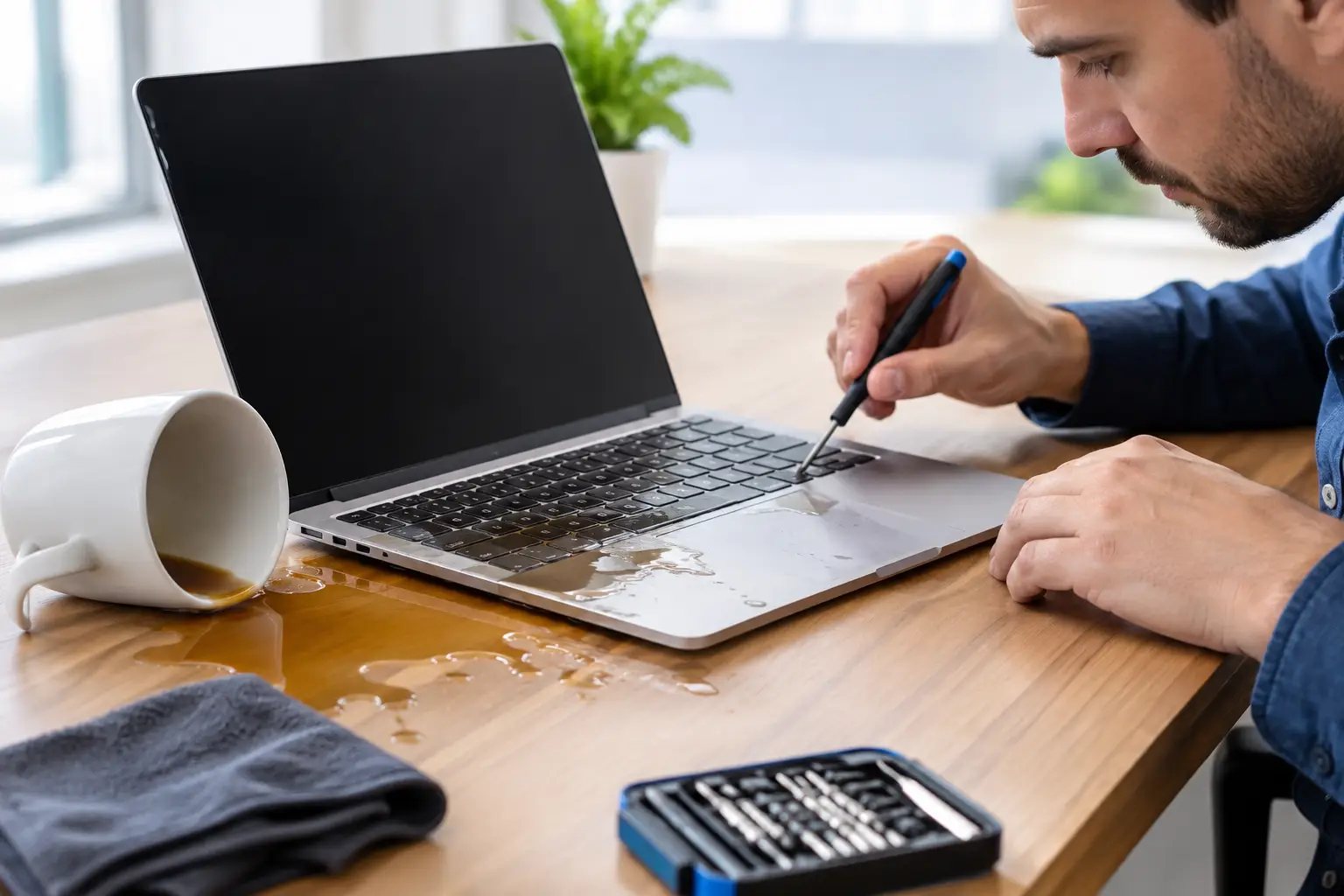
Coffee on a laptop can turn an ordinary morning into a work-stopping emergency. This laptop spill repair case study follows a common situation: a working professional spills a sweetened iced coffee near a laptop keyboard just before a full day of meetings, deadlines, and client files.
The good news is that a spill does not automatically mean the laptop is beyond repair. The bad news is that every minute the device stays powered on can make the damage worse. Fast action, a proper diagnostic, and careful internal cleaning can make the difference between a same-day repair and a costly replacement.
The customer brought in a 14-inch laptop about 40 minutes after the spill. Coffee had landed across the left side of the keyboard, with visible liquid around several keys and the trackpad. The screen was still on, but the keyboard had begun typing random characters and the charging indicator was flickering.
At home, the customer had done two things right: they unplugged the charger and stopped using the laptop quickly. They had not tried to keep working, use a hair dryer, or take the device apart. Those choices reduced the chance of heat damage, lost screws, or a deeper electrical short.
Sweetened drinks are more dangerous than plain water because they leave behind sticky residue. Even if a laptop seems normal after drying, sugar and minerals can remain on internal components. Over time, that residue can corrode connectors, damage the keyboard, and cause intermittent charging or startup issues.
A spill repair should never begin with a guess. The laptop was powered down, opened by a technician, and inspected for moisture and residue around the keyboard assembly, battery connection, trackpad cable, charging circuit, and motherboard.
The initial inspection found liquid residue under the keyboard and light moisture near the battery connector. There was no visible burn damage on the motherboard, and the customer had acted quickly enough that corrosion had not spread to major components. That was a strong sign that repair was worth attempting.
The technician explained the trade-off clearly. A cleaning service could remove the liquid and allow the internal parts to be tested, but it could not guarantee that every affected key would recover. The keyboard might still need replacement after testing. The customer approved the cleaning and diagnostic process because the files on the laptop were needed for work that afternoon.
Many customers assume the goal is to dry the laptop and see whether it starts. That is risky. Electricity moving through wet or contaminated components can create a short circuit. A laptop that could have needed cleaning and a keyboard repair may instead need board-level work or replacement parts.
If a spill happens, turn the device off immediately, disconnect the charger and accessories, and bring it in as soon as possible. Do not charge it. Do not press keys to test them. Do not shake it aggressively, because that can push liquid farther inside.
The repair began with a full internal disconnect and controlled cleaning of the affected areas. The technician removed residue from the keyboard zone, inspected cables and connectors, and cleaned the moisture found near the battery connection. Components were then dried properly before the laptop was reassembled for testing.
This approach matters because replacing parts before cleaning the device can hide the real problem. If residue remains on the motherboard or a connector, a new keyboard alone will not prevent future trouble. The goal is to address the spill itself, not just the first symptom.
After cleaning, the laptop powered on normally. The display, charging function, Wi-Fi, speakers, webcam, trackpad, and USB ports passed testing. Most keyboard keys worked, but several keys on the affected side remained sticky and one key did not respond consistently.
At that point, the customer had a practical choice. They could take the laptop back with the cleaned device and a partially affected keyboard, or replace the keyboard to restore reliable everyday use. Because the laptop was used for frequent emails, spreadsheets, and video calls, the customer chose keyboard replacement rather than waiting for the problem to get worse.
Once the replacement keyboard was installed, the laptop went through another round of function testing. The device booted correctly, charged normally, accepted input across the full keyboard, and connected to external devices without errors. The customer was able to access their work files and return to scheduled meetings the same day.
This was a successful outcome, but it is not a promise that every spill can be repaired so easily. Results depend on what was spilled, how much liquid entered the device, where it reached, whether the laptop stayed on, and how quickly it received professional attention. A plain-water spill caught immediately may need less work. A soda, wine, coffee, or juice spill left overnight can cause much more extensive corrosion.
Three factors gave this laptop the best chance of recovery. First, the customer stopped using it quickly. Second, the device reached a repair technician before residue had time to spread and corrode internal parts. Third, the repair focused on inspection and cleaning before recommending replacement parts.
That order protects both the device and the customer’s budget. Not every laptop spill requires a major repair bill. Sometimes cleaning and testing are enough. Other times, a keyboard, battery, charging port, or trackpad may need replacement. A trustworthy repair shop should explain what was found, what needs immediate attention, and what can wait.
For customers with essential files, data is another priority. In this case, the storage drive was unaffected and the customer’s files were available after the laptop started. If the device will not power on after a spill, data recovery may still be possible, depending on the laptop model and the condition of the storage hardware.
Move fast, but keep it simple. Turn the laptop off, unplug the charger, disconnect any accessories, and avoid using it again until it has been inspected. Place it on a dry surface with the keyboard facing down at a gentle angle so excess liquid can drain away.
Avoid rice, direct heat, and repeated power-on tests. Rice does not remove sticky residue from inside a laptop, and heat can damage sensitive components or warp the keyboard. The fastest route to a reliable fix is a professional diagnostic that identifies where the liquid traveled.
At iFix Hub, customers can bring in a spilled laptop for a free diagnostic and clear repair recommendation. Certified technicians inspect the device, explain the practical options, and use quality replacement parts when a component cannot be saved. When timing matters, fast repairs and warranty-backed service provide reassurance without the long wait of a manufacturer service center.
A spill is stressful, especially when your laptop holds tomorrow’s presentation, classwork, family photos, or business records. Do not assume it is ruined, and do not wait for it to fail days later. Shut it down, keep it unplugged, and get it checked while a repair is still the easier and more affordable option.


Need help? Our team is just a message away