

No products in the cart.
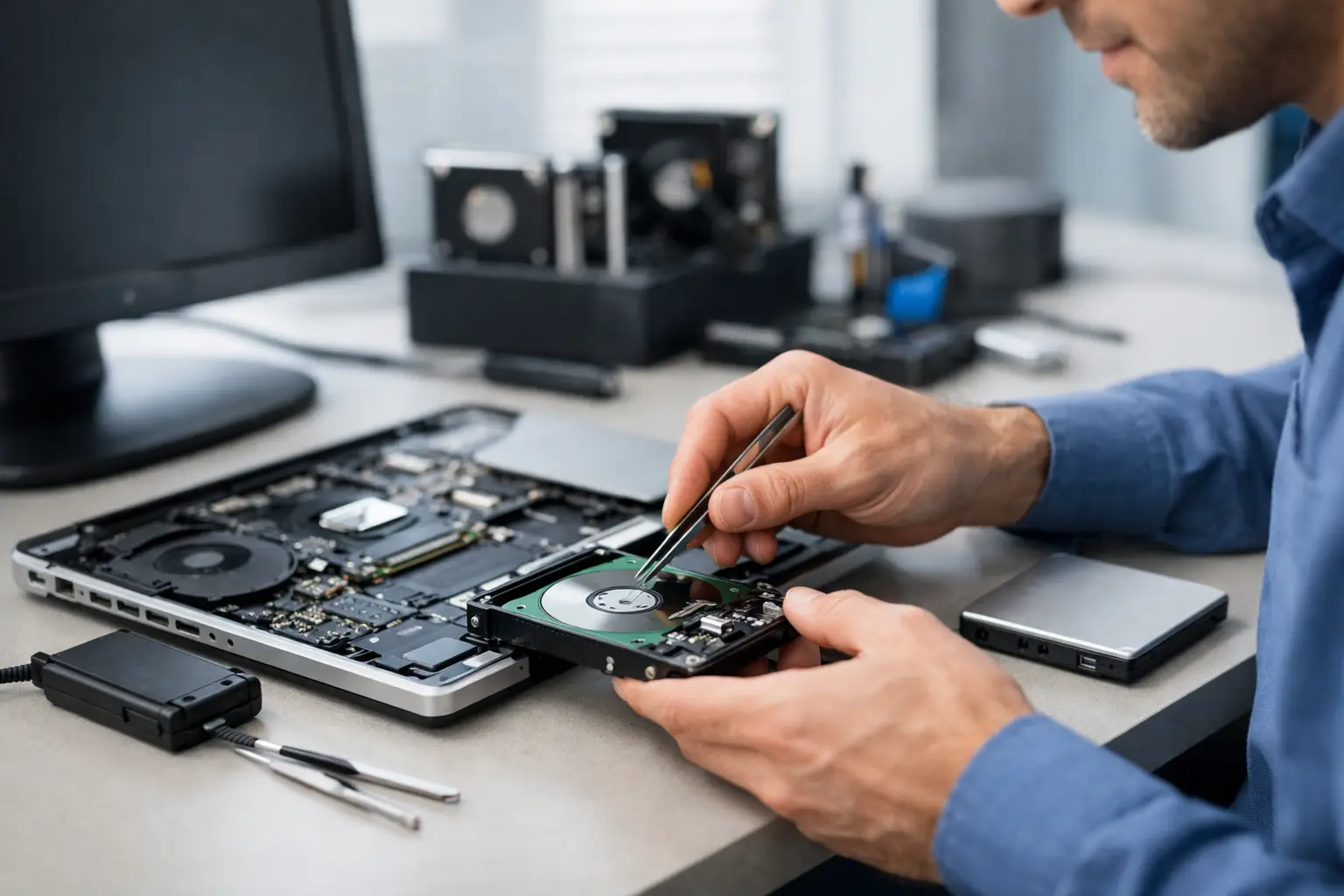
When your laptop stops opening files right before a deadline, the problem stops feeling technical and starts feeling personal. A laptop data recovery service is there for exactly that moment – when work documents, family photos, school projects, or business records suddenly seem out of reach and you need a clear answer fast.
The biggest mistake people make is waiting too long or trying too many fixes on their own. Restarting a frozen laptop once is reasonable. Reinstalling software, forcing updates, downloading random recovery apps, or continuing to use a failing drive can make recovery harder, slower, and more expensive. If the data matters, the safest move is to stop using the device and get a professional diagnosis.
Not every laptop problem is true data loss, and that is actually good news. In many cases, your files are still there, but the laptop cannot access them normally. The issue could be a failing SSD, a damaged hard drive, water exposure, a corrupted operating system, accidental deletion, or a motherboard problem that keeps the laptop from powering on.
That difference matters because recovery options depend on the real cause. A software issue may allow faster results. Physical damage usually requires more care, more time, and more precision. If the laptop was dropped, exposed to liquid, making clicking noises, stuck in a boot loop, or showing a black screen, those are strong signs to stop guessing and bring it in for professional evaluation.
Students often come in worried about one paper or one semester’s worth of files. Professionals are usually trying to recover client documents, spreadsheets, presentations, and years of email attachments. Families tend to be focused on irreplaceable photos and videos. The common thread is simple – the files are worth more than the laptop itself.
A reliable laptop data recovery service should start with a straightforward diagnostic, not pressure. First, a technician checks whether the problem is logical, electrical, or physical. That helps determine the safest recovery path and gives you a realistic idea of turnaround time, expected cost, and the chances of success.
If the issue is minor corruption or accidental deletion, recovery may be relatively quick. If the storage device is failing, the priority is usually to stabilize it and avoid further damage before attempting file extraction. If the laptop will not power on because of board damage, the work may involve repairing just enough of the device to access the data safely rather than fully restoring the laptop for long-term use.
This is where experience matters. Good technicians do not chase shortcuts when your files are on the line. They focus on preserving recoverable data first, then organizing it in a way that is easy for you to review. You should also expect clear communication. A trustworthy shop explains what was found, what can likely be recovered, and what trade-offs may affect timing or cost.
People often ask whether data recovery can be done the same day. Sometimes yes, sometimes no. It depends on the type of failure, how severely the storage device is damaged, and how much data needs to be recovered.
If the laptop has a software issue, an accessible drive, or a simple operating system problem, same-day service may be realistic. If the storage chip is failing, the laptop has liquid damage, or the drive is not being detected consistently, the process can take longer because rushing raises the risk of losing more data.
That is why honest expectations matter. Fast repairs are valuable, but speed should never come at the cost of your files. The right shop balances urgency with caution. For many customers, the best outcome is not just quick service. It is quick service done properly, with certified technicians, careful handling, and a clear recovery plan.
Recovery is never one-size-fits-all. The sooner you seek help, the better your odds usually are. Continued use after a failure can overwrite deleted files, worsen drive damage, or create new corruption.
The kind of storage in your laptop also matters. Traditional hard drives and modern SSDs fail in different ways. Hard drives can suffer mechanical issues, while SSDs may fail with little warning and sometimes become unreadable without obvious signs. Encryption settings, system updates, file system corruption, and prior repair attempts can also change the recovery path.
Liquid damage is one of the biggest variables. Some laptops still power on after a spill, which gives users false confidence. Corrosion can spread over time, and a laptop that seems fine for a few hours can become much harder to recover later. If liquid got into the system, power it down and get it checked as soon as possible.
There is no shortage of online advice, but most of it assumes the issue is simple. Real-world laptop failures are often less obvious. A laptop that will not boot might have a storage problem, a charging issue, or board-level damage. Running random recovery software without knowing which problem you have can make matters worse.
DIY efforts also create confusion. Customers sometimes arrive after trying multiple tools, changing settings, reinstalling Windows, or moving the drive between devices. At that point, the original issue has been mixed with new variables, which can reduce the chance of a clean recovery.
If your files are important, this is one of those times when saving money upfront can cost more later. Professional recovery is about protecting what still can be saved. That means controlled testing, proper handling, and a repair-first mindset focused on your data rather than trial and error.
Not all repair shops handle data recovery with the same level of care. Speed matters, but so does trust. You want a service that offers free diagnostics, transparent pricing, and technicians who can explain the issue in plain English. You also want to know whether the shop has experience with both software-related recovery and hardware-related failures.
A strong local option should feel practical, not confusing. Can they evaluate the laptop quickly? Do they communicate clearly? Do they give realistic timelines instead of overpromising? Do they back their work with a warranty when applicable? Those details matter when you are handing over a device that may contain your work, finances, family memories, or business records.
For many customers, convenience is just as important. Walk-in support, same-day service when possible, and a team that can handle related repairs in-house all make the process easier. If the issue turns out to be tied to battery failure, charging problems, water damage, or a damaged screen that prevents normal access, having one trusted repair team handle the full situation saves time.
At iFix Hub, that practical approach is exactly what customers are looking for – fast repairs, clear answers, affordable pricing, and dependable service without the runaround.
If your laptop is still on, save what you can only if the system is stable and not showing signs of hardware failure. If you hear unusual noises, notice overheating, or see the laptop freezing repeatedly, shut it down. Do not keep restarting it just to check whether it works again.
If there was water exposure, turn it off immediately and do not plug it in. If files were deleted accidentally, stop using the laptop as much as possible. Every new download, update, or saved file can reduce the chance of recovery.
When you bring the device in, share the full story. Mention drops, spills, error messages, slow performance, failed updates, strange sounds, and any recovery attempts you already made. That information helps the technician move faster and choose the safest recovery method.
The main thing to remember is this: data loss feels urgent because it is, but panic usually leads to bad decisions. The right repair team gives you a calm, fast path forward, and sometimes that is all you need to turn a bad day into a fixable one.





Need help? Our team is just a message away