

No products in the cart.

A cracked screen before a work meeting, a phone that will not charge, or a laptop with files you need right now is not a problem to put off. When you request a repair estimate, you should get a clear answer quickly: what is wrong, what it will take to fix it, how much it is likely to cost, and when you can get your device back.
At iFix Hub, the goal is simple: take the guesswork out of device repair so you can make a confident decision without wasting time at a manufacturer service center or gambling on an unverified repair shop.
An estimate gives you control before any repair work begins. It helps you compare the cost of repair with the value of your device, understand the likely turnaround time, and decide whether a repair is the practical choice. For most common problems, such as a broken phone screen, weak battery, damaged charging port, or faulty camera, a technician can provide a straightforward recommendation after inspecting the device.
The best estimate is not just a number. It should explain the repair in plain language. If your screen needs replacement, you should know whether the display assembly is being replaced and what type of part is recommended. If your phone is not charging, the technician should determine whether the issue is the port, battery, cable, software, or internal board before quoting a repair.
Free diagnostics are especially valuable when the cause is not obvious. A phone that keeps restarting may have a battery issue, but it could also be caused by liquid exposure or a software problem. Checking first keeps you from paying for the wrong fix.
A fast, accurate estimate starts with a few useful details. Tell the repair team the device brand and model, such as an iPhone, Samsung Galaxy, Google Pixel, MacBook, or Windows laptop. Describe what happened and when the issue started. A short description like “the screen flickers after I dropped it” is more helpful than simply saying “it is broken.”
If the device has been exposed to water, say so right away, even if it still turns on. Water damage can get worse over time, and quick action may improve the chance of saving the device and the data stored on it. Avoid charging a wet device or repeatedly trying to power it on. Bring it in for an inspection as soon as possible.
It also helps to mention any previous repairs. A device with an older replacement screen, battery, or charging port may need a different diagnosis than one that has never been opened. Honest details help the technician set realistic expectations from the start.
For laptops, explain whether the problem affects charging, the display, the keyboard, performance, startup, or files. If you need data recovery, make that clear before a reset or replacement is considered. Your photos, schoolwork, business documents, and account access may be the priority – not just getting the device to power on.
Price matters, but transparency matters just as much. A dependable repair estimate should identify the issue that was found, the recommended repair, the expected parts and labor cost, and the estimated turnaround. If same-day service is available for your repair, you should be told that clearly. If a part must be ordered or additional testing is needed, that should be clear too.
Ask whether the quote includes everything needed to complete the repair. Some issues are simple and predictable. Screen replacements and battery replacements are often easier to quote once the model is confirmed. Other repairs can depend on what is found inside the device. Water damage, severe impact damage, and board-level charging problems may require a closer inspection before a final price is possible.
That does not mean you should accept vague pricing. It means a trustworthy shop explains the difference between an initial estimate and a confirmed repair quote. You should know before any additional work is performed.
Quality parts and warranty coverage should also be part of the conversation. The lowest quote is not always the best value if it uses unreliable components or does not stand behind the repair. A properly fitted screen, a dependable battery, and professional installation can save you from paying for the same problem twice.
Many urgent device problems have clear symptoms and can often be assessed without a long wait. A cracked or unresponsive screen, for example, usually calls for a screen replacement once the model and damage are confirmed. A battery that drains quickly, overheats, shuts down unexpectedly, or will not hold a charge may need replacement after a quick diagnostic check.
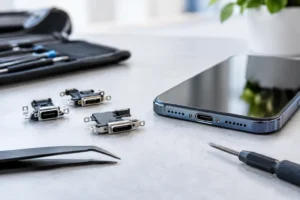
Charging issues are another common reason people seek an estimate. Lint in the port, a worn cable, damaged charging contacts, battery failure, or internal damage can all cause similar symptoms. Cleaning or inspection may solve the issue, while a damaged port may require repair. The point of an estimate is to identify which situation you have before spending money.
Camera repair is worth considering when photos are blurry, the camera app shakes, the lens glass is cracked, or the camera will not focus. For laptops, common estimates include screen replacement, keyboard repair, battery replacement, charging issues, and data recovery. In many cases, fast repairs can get you back to work, school, travel plans, and everyday communication with minimal disruption.
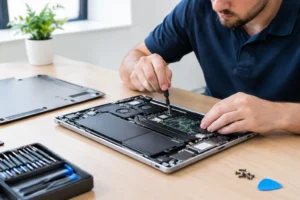
Bring the device in whenever possible. Photos and descriptions are useful, but an in-person diagnostic is usually the best way to confirm the real issue. A technician can inspect for hidden frame damage, loose components, corrosion, swollen batteries, or damage that is not visible from the outside.
Before your visit, remove cases and accessories if they are damaged or make it hard to inspect the device. If your phone still works, back up important data when you can. Do not share account passwords unless a repair requires testing access, and ask why access is needed. A professional repair team should respect your privacy and only use the access necessary to verify the repair.
You should also be clear about your priorities. Some customers need the lowest practical cost. Others need the fastest possible turnaround because their phone is essential for work or their laptop holds a deadline-sensitive project. There may be trade-offs, particularly when a specialty part is needed. A good repair team will explain your options rather than pressure you into one answer.
A repair estimate is useful even when the best answer is not to repair. If a device has extensive liquid damage, major internal board damage, or multiple failing components, the cost may approach the value of a replacement device. That is especially true for older models with limited software support.
Still, do not assume a damaged device is beyond help based on appearance alone. A phone with a badly shattered screen may have no internal damage at all. A laptop that will not start may need a battery or charging repair rather than full replacement. Diagnostics give you facts, not guesses.
If repair is not the best investment, ask about recovering your data and protecting your next device. A durable case, screen protection, reliable charging accessories, and a backup routine can prevent a small accident from becoming a major inconvenience.
Your device keeps your day moving – messages, maps, payments, work files, school assignments, family photos, and everything in between. You should not have to live with a broken screen or unreliable battery while waiting weeks for an answer. Request a repair estimate, bring your device in for a professional diagnostic, and choose the repair that makes sense for your time and budget. A clear quote is the first step toward getting your device – and your routine – back on track.



Need help? Our team is just a message away