
No products in the cart.
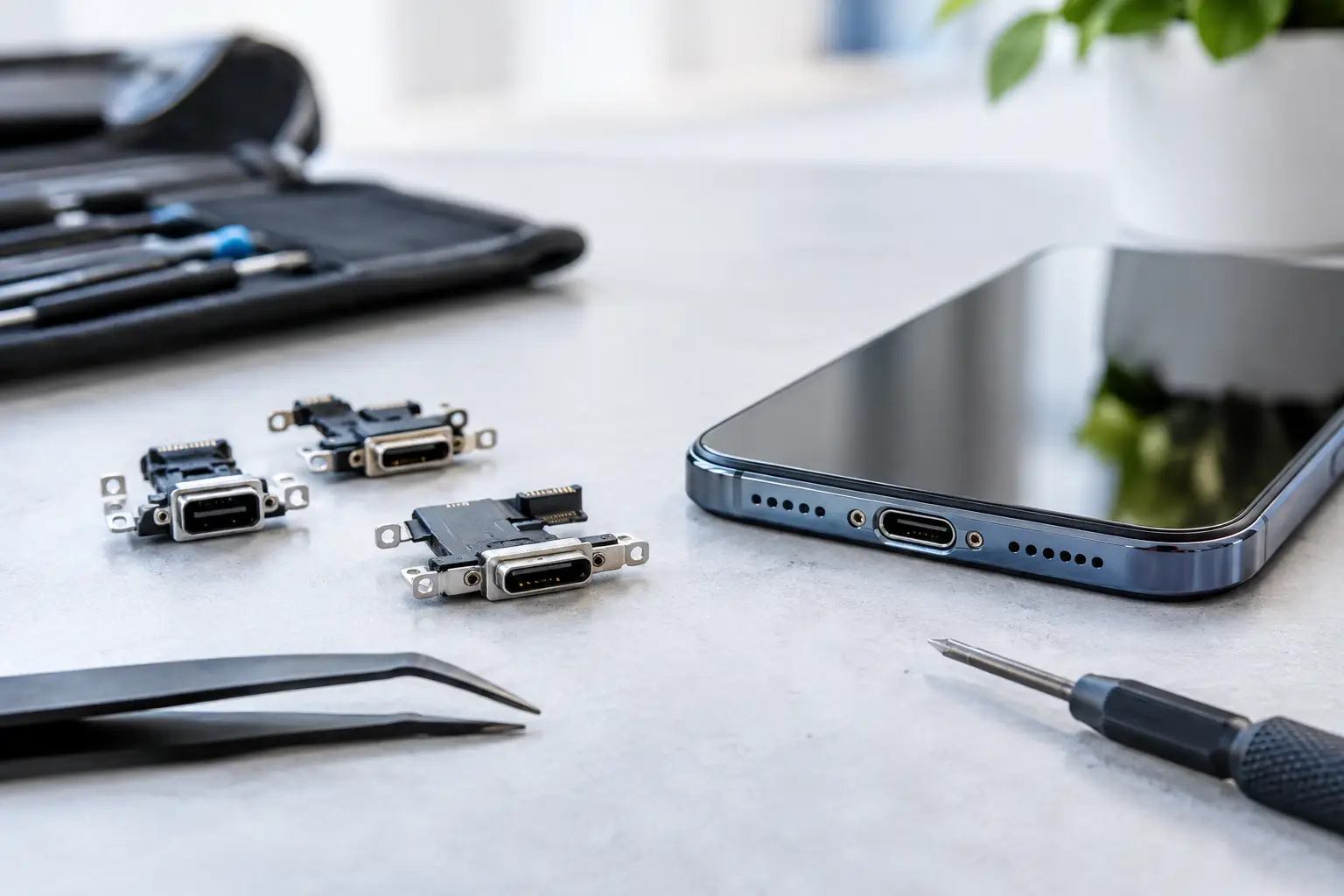
A phone that only charges when the cable is held at a certain angle is not just frustrating. It can leave you without maps, work messages, payment access, or a working alarm when you need them most. These charging port repair examples show what common symptoms can mean, what a technician may need to fix, and why a quick diagnosis is safer than guessing.
This is one of the most common charging port problems. You plug in the cable, but charging starts and stops unless the cord is pushed upward, downward, or to one side. Many people assume the port is broken, but the cause can be as simple as compacted lint.
Pockets and bags collect dust, fabric fibers, and debris. Over time, that material gets packed into the bottom of the charging port and prevents the cable from seating fully. The connector may look plugged in, but it is not making reliable contact.
A professional cleaning can often solve this issue quickly. If cleaning does not restore a firm connection, the port itself may have worn or bent contacts. In that case, replacing the charging port assembly is usually the dependable fix. Continuing to wiggle the cable can make worn connections worse and may damage the charging cable too.
A completely unresponsive phone does not always need a new charging port. That is why free diagnostics matter. The problem may be a damaged cable, a weak wall adapter, a drained battery, liquid damage, or a software issue.
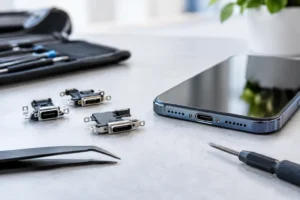
A technician starts by testing the device with known-good charging equipment. If the phone still does not recognize power, the port is inspected for debris, corrosion, loose connections, and physical damage. On many phones, the charging port is part of a small internal assembly that can be replaced without replacing the entire device.
There is a trade-off here. A port replacement makes sense when the rest of the phone is in good shape and the repair cost is reasonable compared with replacement. If a device has major screen damage, battery failure, and extensive water damage as well, it may be worth discussing all repair options before approving work.
Slow charging can be easy to overlook at first. Your phone still gains power, but it takes all night to reach a full charge or drops percentage while connected to a charger. This can point to a port issue, but it is not the only explanation.
A dirty or worn port may limit the connection and prevent fast charging. The same can happen with a low-quality cable or adapter that cannot deliver enough power. Battery health also matters. An older battery can charge slowly, overheat, or lose power quickly even when the charging port works correctly.
The right repair depends on the diagnosis. If the port is clean and tests properly, a battery replacement may be the better answer. If the phone charges normally with wireless charging but not with a cable, that is a stronger sign that the wired charging port or its internal connection needs attention.
This is a useful clue for many modern smartphones. Wireless charging uses a different system than the physical port. When wireless charging works consistently but a cable does not, the battery and main power system may be functioning normally.
The likely issue could be debris in the port, damaged connector pins, or a failed charging port assembly. A technician can confirm the cause and explain whether cleaning or replacement is needed. It is a much better approach than repeatedly forcing different cables into the port.
A drop can damage more than a screen. Even if the phone looks fine on the outside, impact can loosen an internal connector or bend part of the charging port. Signs include a cable that feels loose, intermittent charging, or a device that disconnects when moved.
This repair may involve opening the device, inspecting internal connections, and replacing the damaged port component when necessary. It is not a good do-it-yourself repair for most users. Modern phones are tightly assembled, and opening one without the proper tools can damage seals, cables, screws, or the battery.
For people who rely on their phone for work or school, a same-day repair can prevent a small port problem from turning into a missed deadline or a dead device during travel.
Charging a wet phone is risky. If water, soda, coffee, rain, or humidity gets inside the port, connecting power can worsen corrosion or cause a short. Even if the phone starts charging again after drying out, hidden residue can continue to damage the port over time.
A common example is a phone that displays a moisture warning, refuses to charge by cable, or charges inconsistently after getting wet. Do not use heat, insert cotton swabs, or keep plugging in a charger to test it. Turn the device off if possible and bring it in for inspection.
Water damage restoration may include careful cleaning and testing of the charging port, battery connection, and nearby internal components. Results depend on how much liquid entered the device and how quickly it is treated. Fast action gives the device a better chance of recovery.
Charging ports often handle more than power. They can also transfer data to a laptop, connect to a vehicle system, or support accessories. If your phone charges but will not connect to a computer, the port may have damaged data pins while the power contacts still work.
This can be especially urgent when you need to back up photos, transfer files, or recover important business data. A port inspection can determine whether the issue is the cable, device settings, software, or the physical port. If data recovery is the priority, tell the technician before repair starts so the right path is considered.
It is tempting to fix a charging problem with whatever is nearby. That can turn a simple cleaning into a more expensive repair. Avoid pushing needles, paper clips, pins, or metal tools into the port. They can scratch contacts, compact debris further, or create an electrical short.
Skip cheap, damaged, or overheated chargers as well. A bent cable connector can harm a port, while poor-quality power accessories can create unreliable charging behavior. Use a compatible cable and adapter until the device can be professionally tested.
If your device has been exposed to liquid, do not charge it until it has been checked. A little patience can protect the phone from much greater damage.
A good charging port repair begins with testing, not assumptions. The technician should check the port, cable connection, charging response, battery behavior, and signs of liquid or impact damage. You should receive a clear explanation of what is wrong, what repair is recommended, and what it will cost before work begins.
At iFix Hub, certified technicians can diagnose common charging issues and help you choose the practical fix, whether that is a professional port cleaning, a charging port replacement, or a battery repair. Genuine parts, fast repairs, and a comprehensive warranty offer extra peace of mind when your phone is essential to your day.
If your cable no longer fits securely, your battery percentage will not rise, or your phone has stopped recognizing power, do not wait for the problem to become an emergency. Bring it in for a quick diagnosis and give your device the best chance of getting back to normal the same day.


Need help? Our team is just a message away