

No products in the cart.

A cracked screen, weak battery, charging issue, or water-damaged phone can turn a normal day into a scramble. Knowing how to prepare phone repair before you walk into a shop helps protect your information, speeds up the diagnosis, and makes it easier to get your device back without surprises.
You do not need to be a tech expert to prepare. A few simple steps can make the repair process faster and safer, especially when your phone holds work messages, family photos, payment apps, travel details, and everything else you rely on every day.
Your data should come first. Most screen, battery, camera, and charging port repairs do not affect the information stored on your phone. Still, backups are smart because unexpected problems can happen, particularly with water damage, severe drops, software issues, or phones that will not turn on reliably.
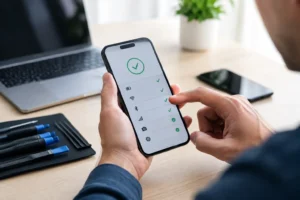
If your phone still works, connect it to Wi-Fi and run a current cloud backup. You can also save important photos, documents, and contacts to a computer if you prefer having a second copy. Check that your recent photos and messages have actually finished syncing before you leave home.
If the screen is damaged but the phone still responds to touch, make the backup a priority. A small crack can become a larger failure after another bump or drop. If the screen is completely black, flickering, or unresponsive, tell the technician right away. A professional shop may be able to help assess your options for data recovery, but recovery is never something to assume is guaranteed.
Many repairs can be completed without access to your phone. However, a technician may need your passcode to test the display, camera, speakers, microphones, charging function, or cellular connection after the repair. Providing access only when necessary helps confirm that everything works before you leave.
Do not share your main email password, banking password, or social media passwords. A reputable repair shop should not need them. Your phone passcode may be enough for functional testing, and you can remove it once the work is complete.
For Apple devices, you may need to turn off Find My before certain repairs can proceed. Android users may need to confirm their Google account after a reset or replacement process. If you are unsure, ask the repair team what is required for your specific device and repair. Clear answers are a good sign that you are dealing with professionals.
Take off your phone case, screen protector if it is already peeling or shattered, lanyard, wallet attachment, and any decorative accessories before your visit. This gives the technician a clear view of the damage and avoids confusion about what belongs with the device.
If you use a physical SIM card, ask whether it needs to stay in the phone. It usually can remain in place for standard repairs, but there are situations where you may prefer to remove it. If you use an eSIM, there is nothing physical to take out, but it is still helpful to mention your carrier if you are having signal or activation problems.
Bring the phone itself unless the shop specifically asks for a charger, cable, or other accessory. For charging issues, bringing your regular charging cable and power adapter can help determine whether the issue is the phone, the cable, or the adapter. A worn-out cable can look a lot like a damaged charging port.
The fastest diagnosis starts with a clear description of the problem. Before you arrive, take a minute to think through when the issue began and what was happening at the time.
For example, a technician should know whether your phone stopped charging after getting wet, whether the battery drains quickly only during video calls, or whether the camera became blurry after a drop. Those details help narrow down the cause instead of treating every issue as a simple part replacement.
Be specific about what still works. Does the phone turn on? Does it vibrate? Can it receive calls? Does wireless charging work even though the charging port does not? Is the screen cracked but still visible? These answers make a difference, especially for same-day service.
If you have already tried a fix, mention that too. Restarting the phone, using another cable, updating the software, or cleaning visible lint from the port are useful details. Just avoid inserting pins, metal tools, or liquids into the charging port. A quick DIY attempt can create more damage and complicate an otherwise straightforward repair.
A few photos are useful when your phone is still usable. Capture the cracked screen, bent frame, damaged camera lens, exposed back glass, or any liquid damage indicators you can see. This gives you a record of the device’s condition before repair and can be helpful for insurance claims.
Photos also make it easier to explain an intermittent problem. If your screen flashes green once a day or the phone displays an error message that disappears after restarting, a screenshot or short video can save time at the counter.
For water damage, do not wait around to document every detail. Turn the phone off if possible, remove it from the charger, and bring it in promptly. Heat, rice, and repeated attempts to charge a wet phone can make the situation worse. Time matters when moisture is inside a device.
Good phone repair should feel clear, not confusing. Once the device has been inspected, ask what the diagnosis is, what part will be replaced, how long the repair is expected to take, and what the total cost includes.
It is also reasonable to ask about part quality and warranty coverage. Genuine or high-quality compatible parts may cost more than the cheapest option, but they can offer better performance, fit, brightness, battery health, and long-term reliability. The right choice depends on your phone model, how long you plan to keep it, and what matters most to you.
A low price is appealing, especially when a repair is unexpected. But a quote that seems unusually cheap can leave out labor, testing, warranty protection, or the quality of the replacement part. Transparent pricing helps you compare real value, not just the first number you hear.
Before you leave the shop, make sure you know the estimated completion time and the best way to receive updates. Same-day service is often possible for common repairs such as screen replacements, battery replacements, charging port repairs, and camera repairs, but timing depends on the device model, part availability, and the extent of the damage.
Plan to test the phone at pickup. Check the screen brightness and touch response, front and rear cameras, speaker, microphone, buttons, charging, Wi-Fi, Bluetooth, and Face ID or fingerprint features where applicable. A professional technician should be happy to let you confirm the repair before you go.
If you are replacing a cracked screen, this is also a practical time to add a protective case or quality screen protector. It is a small extra cost compared with another major repair, and it helps protect the work you just paid for.
Sometimes the best answer is not an immediate repair. A phone with severe water damage, motherboard issues, extensive frame damage, or a discontinued part may need further evaluation. In other cases, data recovery may be more valuable than restoring the device itself.
That is why free diagnostics and an honest explanation matter. At iFix Hub, the goal is to give you a clear path forward, whether that means a fast repair, a data-focused solution, or practical advice on when replacement makes more financial sense.
Preparing your phone takes only a few minutes, but it puts you in control when something goes wrong. Back up what you can, describe the issue clearly, ask direct questions, and choose a repair team that treats your device and your time with care. Then you can get back to calls, work, photos, navigation, and the rest of your day with far less hassle.





Need help? Our team is just a message away