
No products in the cart.
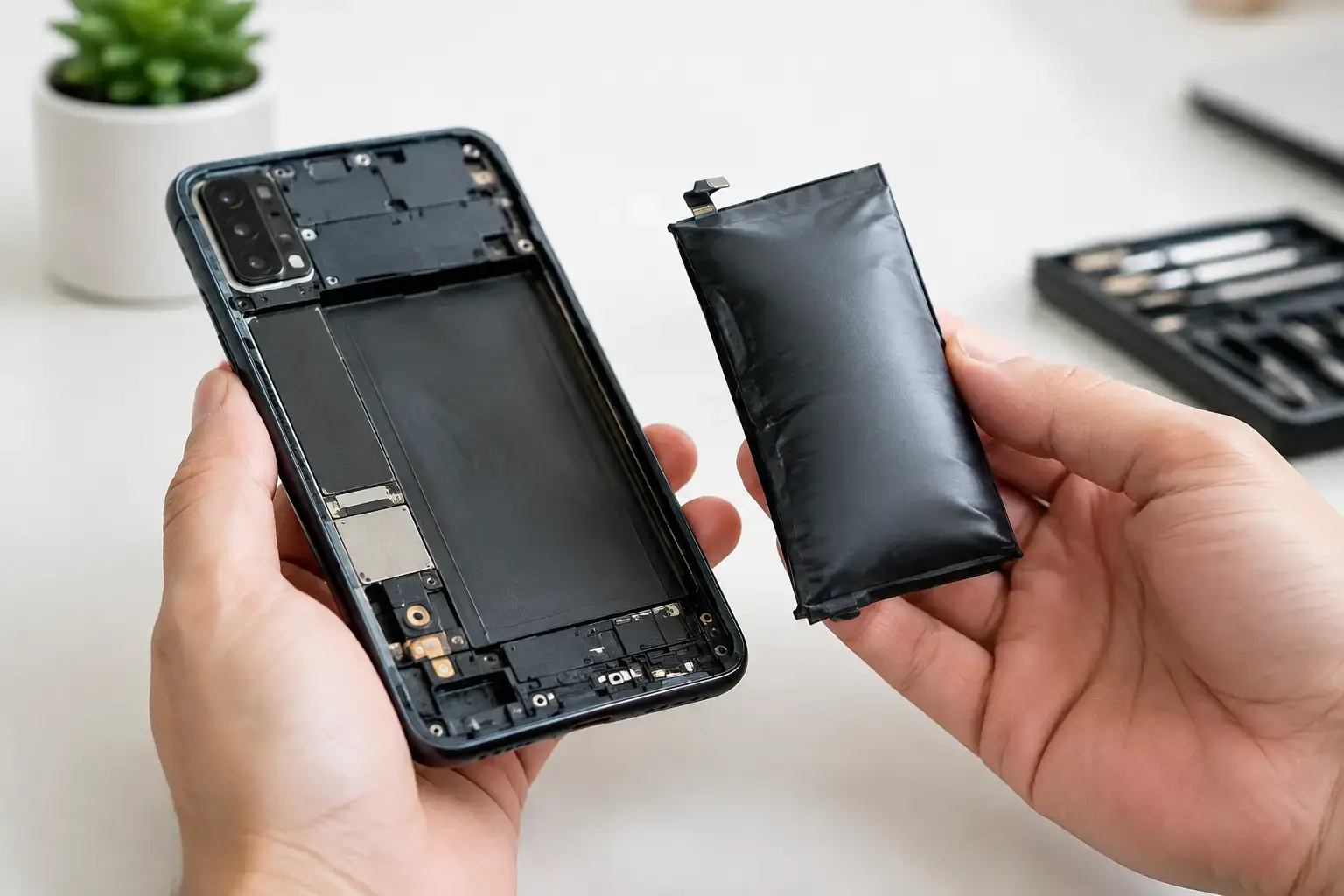
A phone screen that starts lifting at one corner is not just a cosmetic problem. A laptop trackpad that feels raised, a case that will not sit flat, or a device that suddenly feels thicker can all point to a failing battery. Knowing how to identify battery swelling early gives you the best chance of avoiding further device damage and handling the problem safely.
A swollen lithium-ion battery needs prompt attention. Do not press it back into place, keep charging it, or try to open the device yourself. The right next step is usually simple: power down the device, stop using it, and have a qualified repair technician inspect it.
Battery swelling happens when gases build up inside a lithium-ion battery. The battery expands, pushing against the tightly packed components inside your phone, tablet, smartwatch, or laptop. Because modern devices are designed to be thin, even mild swelling can quickly affect the screen, back cover, keyboard, or trackpad.
On a smartphone, the most common sign is a screen that separates from the frame. You may notice a small gap along one edge, adhesive that no longer holds, or a display that looks slightly bowed. On devices with a removable back cover, the back may pop open or refuse to clip into place.
Laptop warning signs can be more subtle at first. The bottom case may rock on a flat desk, the trackpad may become stiff or harder to click, or the keyboard may appear lifted. Some customers first notice that their laptop does not close evenly. Do not assume this is normal wear and tear, especially if the change happened quickly.
You do not need to take your device apart to spot the most common symptoms. Place it on a flat, stable surface and look at it from the side. A phone or tablet with a swollen battery may not lie completely flat. A laptop may wobble when you tap the corners of its base.
Check the edges carefully. Look for separation between the screen and frame, gaps in the back cover, or seams that have become wider than usual. If a protective case suddenly fits poorly, remove it gently and inspect the device. A tight case can hide swelling, while a loose or distorted fit can reveal it.
Then pay attention to how the device feels during everyday use. A raised screen, bulging back, uneven surface, or unexpectedly stiff buttons can all be physical signs. You may also notice the device getting unusually warm while charging or losing battery power much faster than it used to. Those performance issues alone do not prove swelling, but they become more concerning when paired with a visible change in the device shape.
Do not press on a lifted screen or back panel to test it. Pressure can damage the battery further, crack the display, or create a safety risk.
A damaged case can mimic one symptom of battery swelling, but several signs together deserve a professional diagnosis. Watch for these changes:
The final signs on that list require urgent action. Move away from the device if it is smoking, hissing, or extremely hot. If there is an active fire or immediate danger, call emergency services. Do not attempt to put a damaged lithium-ion battery fire out with water.
Battery swelling is usually related to age, heat, internal damage, charging stress, or a manufacturing defect. Every rechargeable battery has a limited lifespan. As it ages, its internal chemistry becomes less stable, particularly after many charge cycles.
Heat is a major contributor. Leaving a phone in a hot car, using a laptop on bedding that blocks its vents, or charging a device in a warm location can accelerate battery wear. Low-quality charging equipment and physical damage from drops can also contribute, although swelling can happen even when a device has been used carefully.
A swollen battery is not a sign that you did something wrong. It is a repair issue that should be handled early. Replacing the battery before it pushes into the display, motherboard, or other components can often keep the repair faster and more affordable.
Stop charging the device immediately. If it is safe to do so, turn it off. If a cable can be removed without touching or forcing a bulging area, unplug it. Do not continue using the device just because it still turns on.
Set the device on a hard, nonflammable surface away from direct sunlight, paper, bedding, fabric, or other heat-sensitive materials. Keep it away from children and pets. Avoid putting it in a pocket, bag, drawer, or car, where heat and pressure can make the situation worse.
Do not puncture, bend, crush, freeze, dismantle, or throw away a swollen battery. Do not tape down a lifted screen or try to seal the device shut. These shortcuts can turn a routine battery replacement into a damaged display, a more complicated repair, or a serious safety hazard.
If you need your files, do not keep using a visibly swollen device for hours to back everything up. A repair technician can assess whether it is safe to power on briefly for data recovery. The priority is preventing further damage.
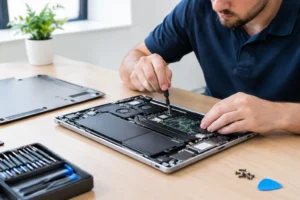
Many modern phones and laptops use strong adhesive, delicate display cables, and tightly packed internal components. Opening a swollen device without the right tools can puncture the battery or damage parts that were otherwise working.
Professional service starts with a diagnosis. A technician can confirm whether the battery is swollen, check whether the screen, frame, charging port, or internal components have been affected, and explain the repair clearly before work begins. The best repair approach depends on the device and the severity of the swelling. A phone with a slightly lifted screen may only need a battery replacement, while a severely distorted device may also need display or housing work.
At iFix Hub, customers can get a free diagnostic and straightforward advice on the safest repair path. Fast, same-day service may be available for many common battery replacements, using quality parts and warranty-backed repair work. That means less time without the phone or laptop you rely on for work, school, travel, and everyday life.
No. A device can continue working while its battery swells, but that does not make it safe to use. Swelling puts pressure on components and may worsen without warning, especially during charging or heavy use. The longer you wait, the greater the chance of screen damage, case damage, or a battery that becomes unstable.
The practical trade-off is clear: arranging a battery repair now is usually easier than replacing a broken display or an entire device later. If you see a lifted screen, bulging panel, or raised trackpad, treat it as a repair priority rather than a problem to monitor.
Your device should feel flat, secure, and normal in your hand. If it no longer does, stop charging it and get it checked before a small warning sign becomes a bigger repair.



Need help? Our team is just a message away