
No products in the cart.
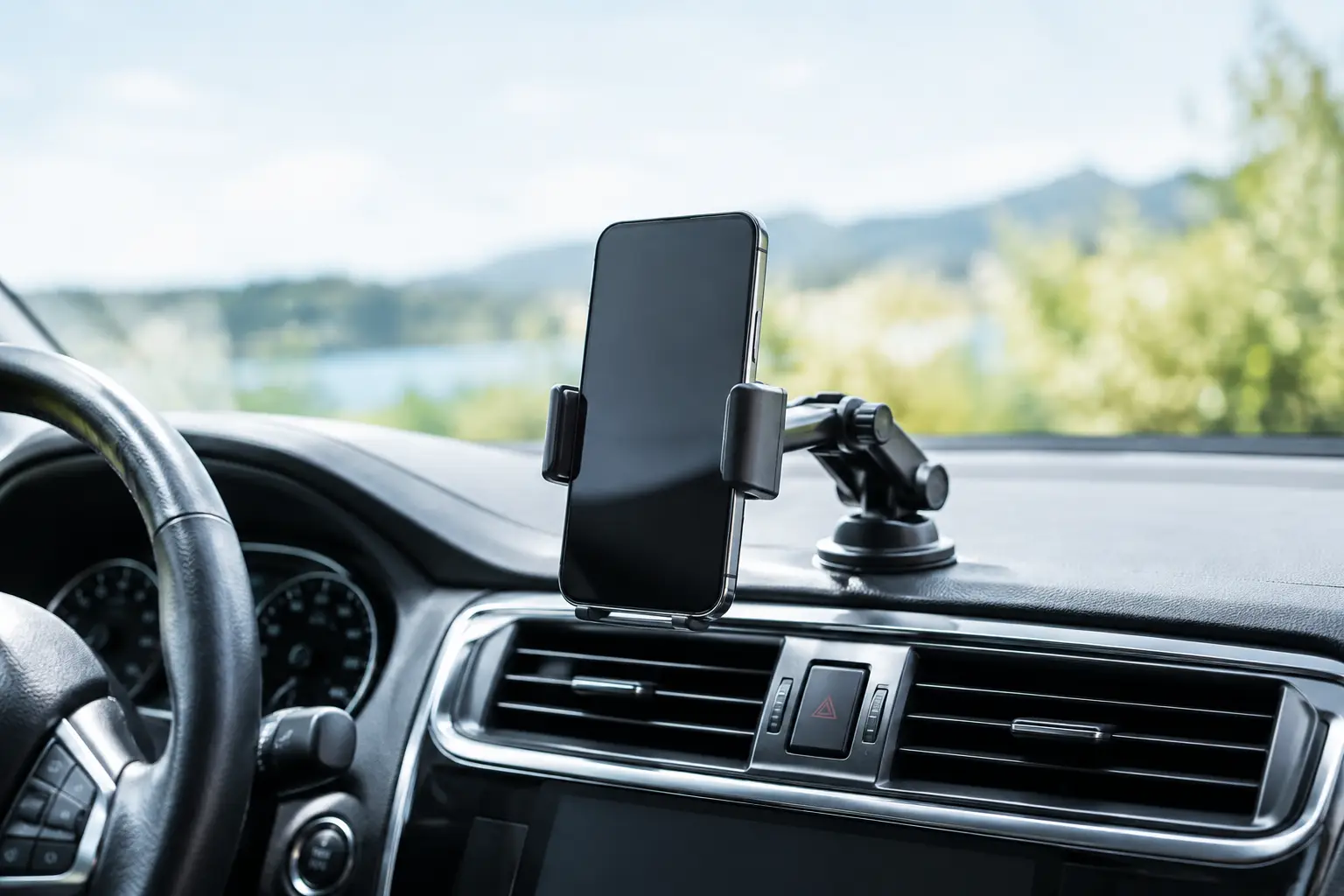
A phone sliding off the dashboard at the first sharp turn is more than annoying. It can distract you when you need directions most, damage your device, and leave you reaching across the car at the worst possible moment. The best phone mounts for cars keep your screen visible, secure, and easy to use without blocking the road ahead.
There is no single mount that works perfectly in every vehicle. A compact sedan with smooth air vents needs something different from a pickup with a deep dashboard, and a heavy Pro Max-size phone puts more strain on a mount than a smaller device. The right choice comes down to where you want the phone, how your car is designed, and whether you need charging during the drive.
Before choosing a mount, look closely at your car’s dashboard, windshield, vents, and cup holder area. The best position is one you can glance at without taking your eyes far from the road. It should not cover your view of traffic, warning lights, or essential controls.
Dashboard and windshield mounts use a suction cup or adhesive base. They are popular because they can place the phone near eye level, making navigation easier to follow. A quality suction mount can be very secure, but heat, dust, and textured dashboards can weaken its grip. If you use one on the windshield, check your local and state rules first. Placement restrictions vary, especially where a mount could obstruct the driver’s view.
Vent mounts are compact and easy to move between vehicles. They work well if you want a clean setup with no adhesive on your dash. The trade-off is that some vent blades are too thin, too round, or too delicate for heavier phones. Vent mounts can also block airflow, which matters when you rely on air conditioning to keep an overheating phone cool.
Cup holder mounts are a practical option for vehicles with awkward dashboards or vents that cannot support a clip. Their long, adjustable necks can bring the screen closer to you, but a mount positioned too low may require more attention away from the road. They are best for drivers who want a stable base and do not mind giving up a cup holder.
CD slot mounts can be useful in older cars with an unused CD player. They often hold a phone firmly and keep the windshield clear. Still, they are not a fit for vehicles that use the slot regularly or have controls placed too close to it.
A mount is only reliable if it can handle your phone with its case on. This is where many buyers run into trouble. A thick protective case, wallet case, ring grip, or pop-out stand can make a standard clamp mount too narrow or interfere with a magnetic connection.
For most phones, an adjustable clamp mount is the simplest choice. Look for spring-loaded arms with padded grips and a lower support foot. The side arms should hold the device firmly without pressing volume buttons, while the bottom foot keeps the phone from slipping down on rough roads. A one-hand release feature is convenient, but test that it does not release too easily when the vehicle vibrates.
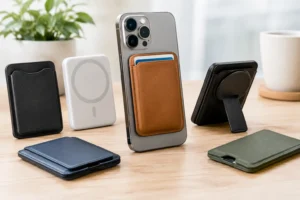
Magnetic mounts are faster to use and especially convenient for short, frequent trips. MagSafe-compatible iPhones can attach directly to a compatible magnetic mount, while many Android phones and non-MagSafe cases need a magnetic ring or plate. The clean look is a major advantage, but the magnet must be strong enough for your phone’s size and weight. A weak magnetic mount may seem fine in a parking lot, then drop the phone over potholes or during hard braking.
If you use a thick case, check whether it is magnetic-compatible before buying a magnetic mount. Metal plates can also affect wireless charging, so the setup needs to be chosen carefully rather than mixed at random.
A basic mount is enough if you mainly use your phone for quick directions. If you drive long distances, use wireless CarPlay or Android Auto, run delivery apps, or take calls through Bluetooth, charging becomes far more useful.
Wireless charging mounts reduce cable clutter and make it easy to grab your phone when you arrive. They are a good match for MagSafe-compatible devices and compatible Android phones. However, wireless charging can create extra heat, especially during summer driving, direct sunlight, or heavy navigation use. Charging may slow down or pause if the phone gets too hot.
A wired charging mount or a standard mount paired with a good cable can be more dependable for fast charging. It also tends to cost less. The drawback is simple: plugging in and unplugging a cable every trip is less convenient, and a loose cable can get in the way of shifters, climate controls, or passenger space.
Choose a charging mount only if it has a stable connection and enough power for your device. A phone that loses battery while connected is not solving the problem. Also, make sure the charging pad lines up with your phone’s charging coil. Larger camera bumps and thick cases can prevent proper contact.
A low price can be tempting, but the cheapest mount is often the one that rattles loose, loses suction, or struggles with a larger phone. A reliable mount should have a solid base, a secure phone hold, and an adjustable viewing angle that stays in position.
When comparing options, pay attention to these four details:
Avoid placing a mount directly over an airbag cover, hazard button, display screen, or important dashboard control. A mount should make navigation easier, not create another safety issue. Set your route, playlist, and calls before driving whenever possible. Even the best holder cannot make distracted driving safe.
Daily commuters usually do best with a compact vent mount or dashboard mount that is easy to use every morning. If your commute is short and you do not need power, a sturdy clamp-style model is often all you need.
Road-trippers may prefer a windshield or dashboard mount with a longer arm and charging support. That setup makes it easier for a passenger to see directions and keeps the battery ready for maps, music, and travel stops. Just keep sunlight and heat in mind, particularly on long summer drives.
For rideshare drivers, delivery drivers, and anyone who uses navigation for hours at a time, stability and charging should come first. A strong magnetic charging mount can save time between stops, while a firm clamp mount may provide extra reassurance for heavier phones. It depends on whether fast dock-and-go convenience or maximum physical hold matters more for your route.
Families sharing a vehicle should avoid a mount that is difficult to remove or adjust. An easy-to-position option lets different drivers set the screen height they need without leaving adhesive residue or a loose clip behind.
Once the mount is installed, do not assume it is ready because it holds the phone while parked. Place the phone in the holder, adjust it to your normal driving position, and gently test the mount from different angles. Make sure it does not cover your view or interfere with turning the wheel, shifting, or reaching vehicle controls.
For suction mounts, clean the surface first and press the base down firmly. For adhesive mounts, follow the recommended cure time before loading the phone. Rushing this step is a common reason a new mount falls off within a day. For vent mounts, confirm the clip grips the vent blade rather than merely resting on it.
If your phone already has a cracked screen, weak battery, damaged charging port, or loose camera, a fall from an unreliable mount can make the problem worse. iFix Hub can help with fast repairs, genuine parts, and dependable accessories so your phone is ready for the drive ahead.
Choose the mount that fits your vehicle and phone, not the one with the flashiest feature list. A secure screen at the right height can make every errand, commute, and road trip feel a little less hectic.




Need help? Our team is just a message away