
No products in the cart.
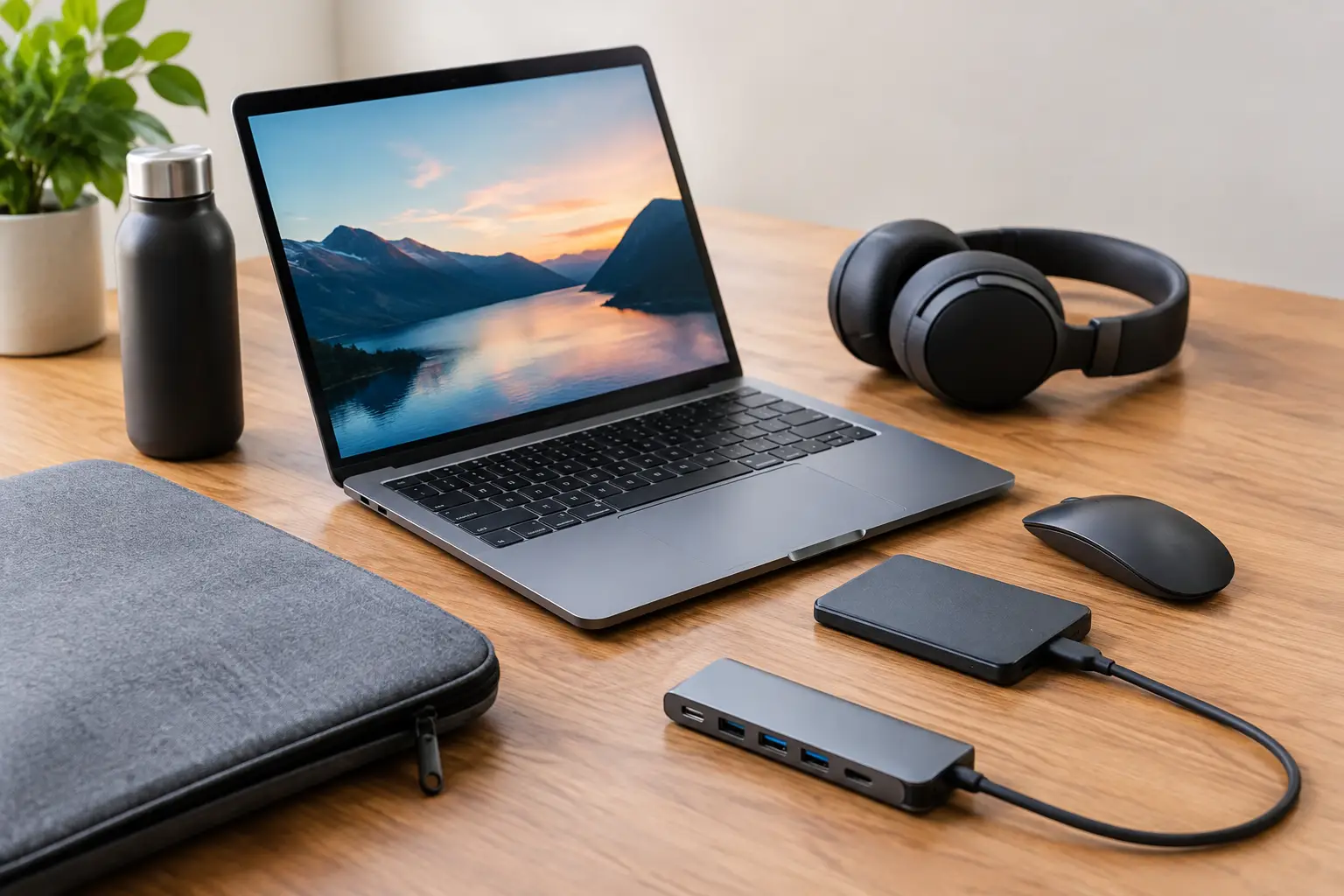
A cracked screen after one crowded commute or a laptop that dies halfway through class can cost far more than a useful add-on. The best top laptop accessories are not flashy extras. They protect the device you rely on, make long work sessions more comfortable, and help you stay productive when you are away from an outlet.
The right choices depend on how and where you use your laptop. A student moving between classes needs protection and portable power. A remote worker may get more value from an ergonomic stand and a dependable webcam. A frequent traveler needs gear that takes up little space and works without hassle. Start with the accessories that solve a real daily problem, not the ones that simply look good online.
A sleeve is one of the simplest ways to avoid expensive damage. It adds a barrier against scratches, small drops, dust, and the loose items that end up in a backpack. Choose one made for your laptop’s exact screen size. A loose sleeve can let the device shift around, while one that is too tight can put pressure on the corners or hinge.
Look for padded sides, a soft interior, and a secure zipper. If you carry chargers, pens, or a mouse in the same bag, use a sleeve with a separate front pocket rather than placing those items against the laptop. This small detail helps prevent pressure marks and scratches on the lid.
A hard-shell case can also work well for people who use their laptop at home, at school, or in an office every day. It provides more consistent protection than a sleeve but adds a little bulk. For travelers, a padded sleeve inside a quality backpack is often the more practical choice.
Not every bag is built to carry electronics safely. A good laptop backpack has a suspended or padded compartment that keeps the computer from hitting the bottom when you set the bag down. It should also distribute weight comfortably across your shoulders, especially if you carry books, a charger, or a second device.
Avoid overstuffing the laptop section. Pressure from folders, water bottles, or charging bricks can bend the frame or strain the display over time. If your bag has seen better days, replacing it can be a smarter investment than waiting for a drop or liquid spill to happen.
Keyboard covers can help keep crumbs, dust, and small splashes out of the keys. They are particularly useful in busy family homes, classrooms, and shared workspaces. However, they are not right for every laptop. Some thin models have very limited clearance when closed, and a thick cover may leave marks on the display.
Use a thin cover designed for your keyboard layout, and remove it if you notice pressure on the screen. Never rely on a keyboard cover as protection from a full drink spill. Liquids can still reach internal components quickly, and fast professional help matters more than any accessory after an accident.
Looking down at a laptop screen for hours can leave your neck and shoulders sore. An adjustable stand raises the display closer to eye level and can improve airflow underneath the device. It is a practical upgrade for home offices, students writing papers, and anyone who works from one spot for extended periods.
For a permanent desk setup, choose a stable metal stand with a broad base. For travel, a folding stand is easier to pack. The trade-off is that lightweight models may wobble when you type directly on the laptop. If you raise the screen, pair the stand with an external keyboard and mouse for the most comfortable setup.
Trackpads are convenient, but they can slow down detailed work like spreadsheets, photo editing, design tasks, and long writing sessions. A wireless mouse gives you more control, and a compact keyboard creates better hand positioning when your laptop is on a stand.
You do not need the most expensive model to notice a difference. Focus on comfortable sizing, reliable battery life, and a connection that works with your laptop. Bluetooth is convenient when your laptop has limited ports, while a USB receiver can be more dependable in busy wireless environments. If you work in a shared office or library, quieter keys are worth considering.
Clear audio helps you concentrate, take calls, and watch training videos without turning your laptop speakers up too high. Wireless earphones are easy to carry for commuting and quick calls. Over-ear headphones can be better for longer sessions because they often provide more comfort and stronger noise reduction.
Before buying, check microphone quality and device compatibility. Great sound is useful, but people need to hear you clearly on meetings. For work calls, a model with stable Bluetooth and solid voice pickup is usually more valuable than extra bass.
A second charger can save a workday. Keep one at your desk and one in your bag so you are not constantly unplugging, wrapping, and forgetting the original. The key is choosing the correct wattage for your laptop. A lower-powered phone charger may charge slowly or fail to keep up while you are working.
Use a trusted, properly rated charger and cable. Cheap adapters can overheat, charge inconsistently, or damage the charging port over time. If the cable feels loose, the connector is bent, or charging cuts in and out, stop forcing it into the port. That could be a cable issue, but it can also be an early sign of port damage that needs a proper diagnosis.
A laptop-capable power bank is a smart backup for flights, long classes, off-site work, and power outages. Not every portable battery can charge a laptop, so check that it supports USB-C Power Delivery and provides enough output for your specific model.
Capacity affects both cost and carry weight. A smaller power bank may be perfect for extending a few hours of light work, while a larger unit is better for travel but takes up more room. Remember that airline rules can limit battery capacity, so frequent flyers should check the requirements before packing.
Modern laptops are thin because they have fewer ports. A USB-C hub can add the basics: USB-A ports for older accessories, HDMI for an external display, an SD card reader, and pass-through charging. It is one of the most useful top laptop accessories for people who switch between home, office, school, and meeting rooms.
A compact hub is ideal for travel. A docking station makes more sense if you use a monitor, wired keyboard, mouse, and Ethernet at the same desk every day. Check the display resolution and refresh rate your laptop supports before buying. A hub that works for a basic presentation may not support the monitor setup you want for detailed creative work.
Your laptop can be replaced. Photos, coursework, client files, and years of documents may not be. An external solid-state drive gives you a fast place to back up important files and move large folders without relying entirely on cloud storage.
SSDs cost more than traditional hard drives, but they are faster, smaller, and better suited to being carried around. For basic backups, you do not need the largest capacity available. Choose enough room for your key files, then make a routine of backing them up weekly or after major projects.
A storage accessory is not a substitute for good account security, but it gives you options if your laptop will not start, has liquid damage, or needs a repair. If valuable data is already inaccessible, avoid repeated restart attempts or DIY disassembly. A qualified technician can assess the device before the problem gets worse.
The most useful accessories are the ones you will actually carry and use. Start with protection if you commute, power if you are often away from an outlet, and ergonomic gear if your laptop is your main workstation. Add connectivity tools only when your current ports are holding you back.
At iFix Hub, we see how often preventable wear, drops, charging trouble, and liquid accidents interrupt a customer’s day. A well-chosen sleeve, trusted charger, and regular backup routine can reduce those risks. If your laptop is already showing signs of damage, bring it in for a free diagnostic instead of hoping the issue disappears. Fast repairs and the right accessories can keep your device ready for the work, school, and life waiting for you.



Need help? Our team is just a message away